USER HANDBOOK 2.0 | DC20XX, ET20XX, ECC21XX SLIM
Berghof Automation GmbH | Harretstrasse 1 | 72800 Eningen | www.berghof.com
Dialog-Controller-DC20XX_EN.docx
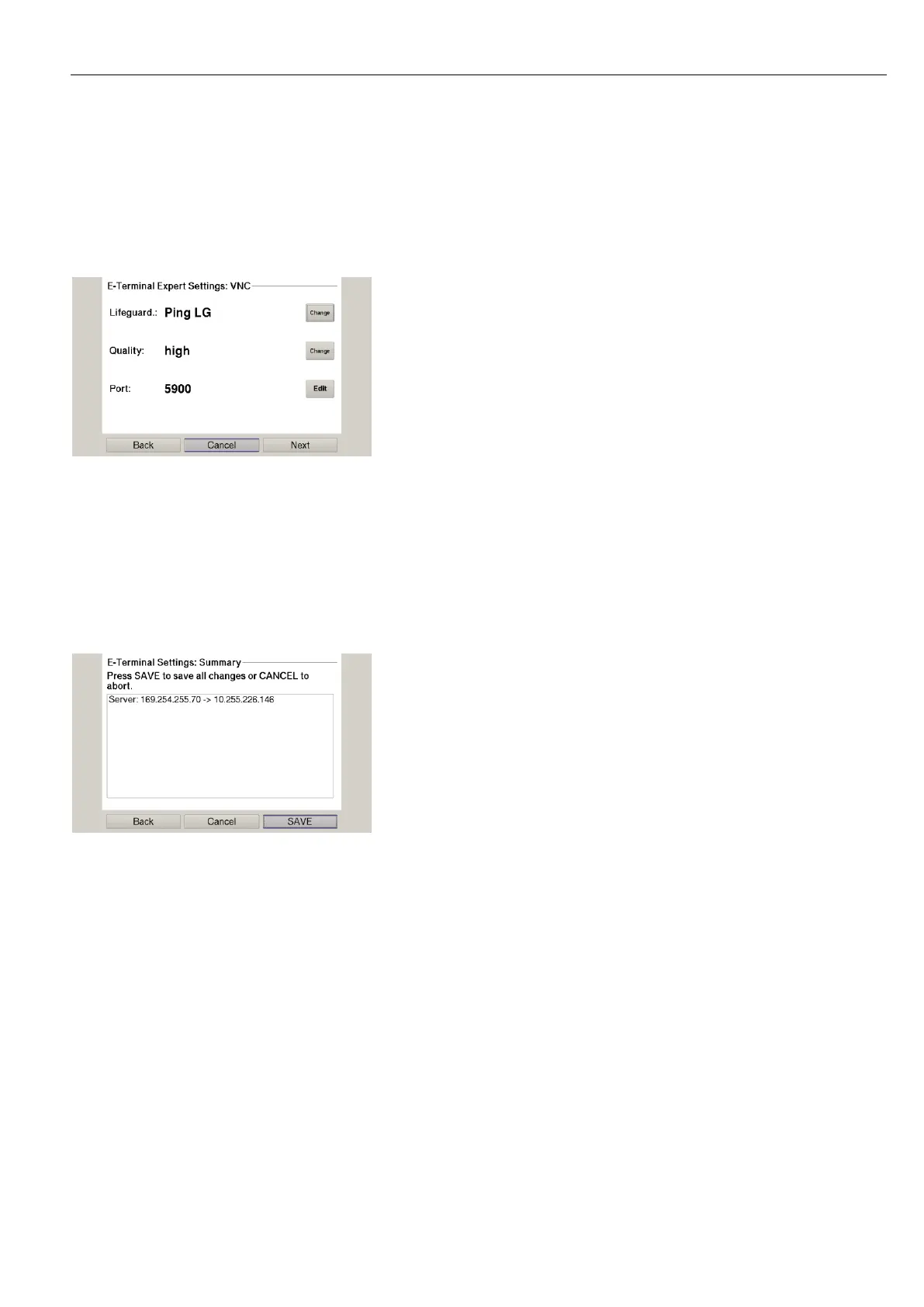
7th Press the button ”Expert” to change the lifeguard setting.
The page with the expert settings appears.
– or –
Press the button ”Next” and skip the following step.
Fig. 40: Lifeguard-Einstellung ändern
8th Change the lifeguard setting via the button ”Change” according to the version of the controller:
CODESYS V2: ”Berghof VNC LG”
CODESYS V3: ”Ping LG”
9th Skip the following pages via the button ”Next” until the page with the summary of the network settings
appears.
Fig. 41: Summary of the network settings
10th If no settings were changed, press the button ”Okay”.
The main screen of the device appears.
– or –
Press the button ”Save”.
The settings are saved and the device reboots automatically.
11th Connect the device to the controller using a network cable.
The device is now configured and ready for use.



 To Next Page