13
Personal data will be retained even if the device is out of power.
Please turn the device off first, and then take out the battery 3 seconds
later. Otherwise, data may be displayed incorrectly.
4.2 Recharging Battery
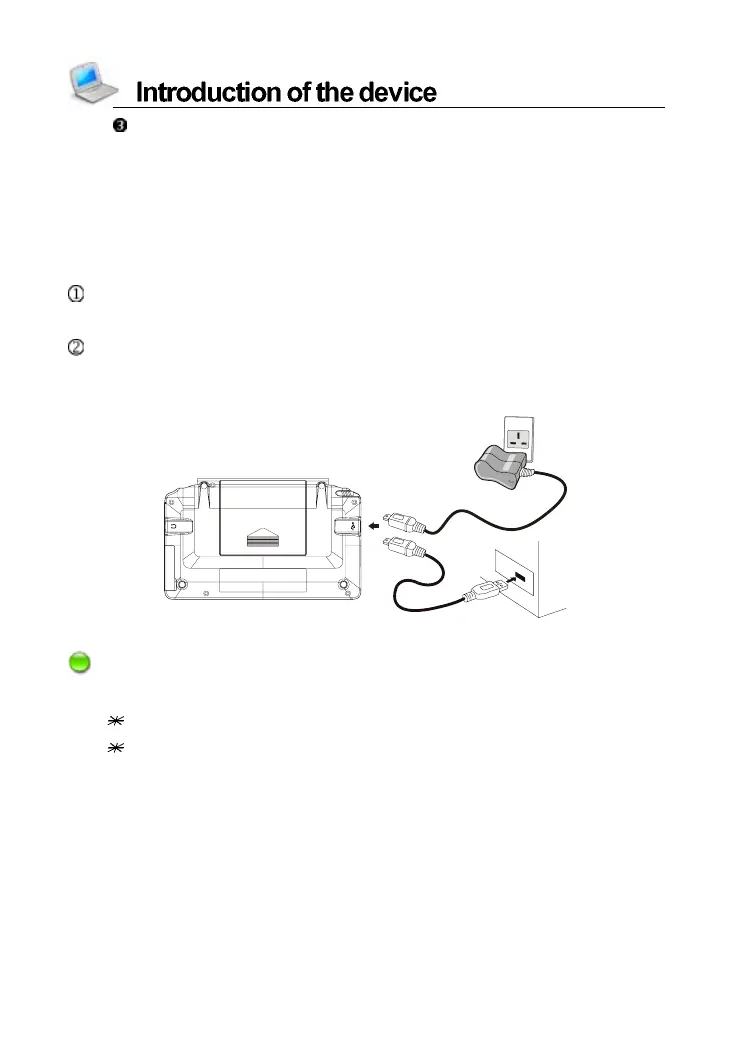
If you are the first time to use the device, please recharging batttery first.
Connect device and PC with USB cable. It takes about 5 hours to fully
recharge.
Connect the device and power supply with the special adaptor. One
end is inserted in the USB slot, the other is inserted in the electrical
outlet. It takes about 3 hours to fully recharge.
Notes:
The LED indicator displays different colors in different situations:
green light ---> No battery or battery full recharged.
red light ---> Power is recharging with battery.



 To Next Page