50
4. English Study Series
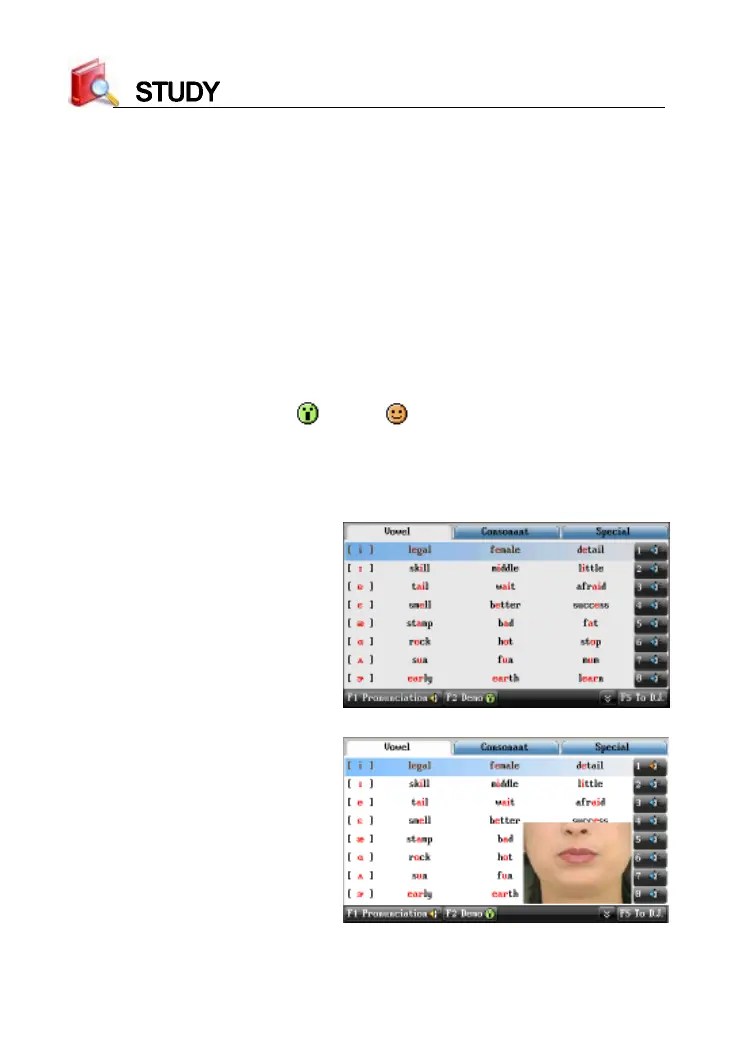
* Take “Phonetic Symbol Demo” for example
Phonetic Symbol Demo provides standard phonetic symbol
pronunciation with key point and example words. Provides demo of
phonetic symbols, and the times of demo can be set in <Sys--Sound Setting>.
* Allows to switch among vowel, consonant and special phonetic
symbols.
* Tap [F1Pron.] to listen to all the phonetic symbols continuously; tap the
numeric keys at the end of every line to listen to syllable pronunciation
for the current line.
* Tap [F2Demo] to open (
)/close ( ) demo of phonetic symbols.
* Tap [F5To D.J./ To K.K.] to switch between K.K. and D.J. pronunciations.
* Press the Up/Down key, or press the Page Up/Down key to select
phonetic symbols, and then press [ENTER] to view details.
K.K. phonetic symbols
Demo is open



 To Next Page