79
1.5.3 Editing a category
In Name Card and Memorandum, you may add up to 8 categories
(including built-in categories).
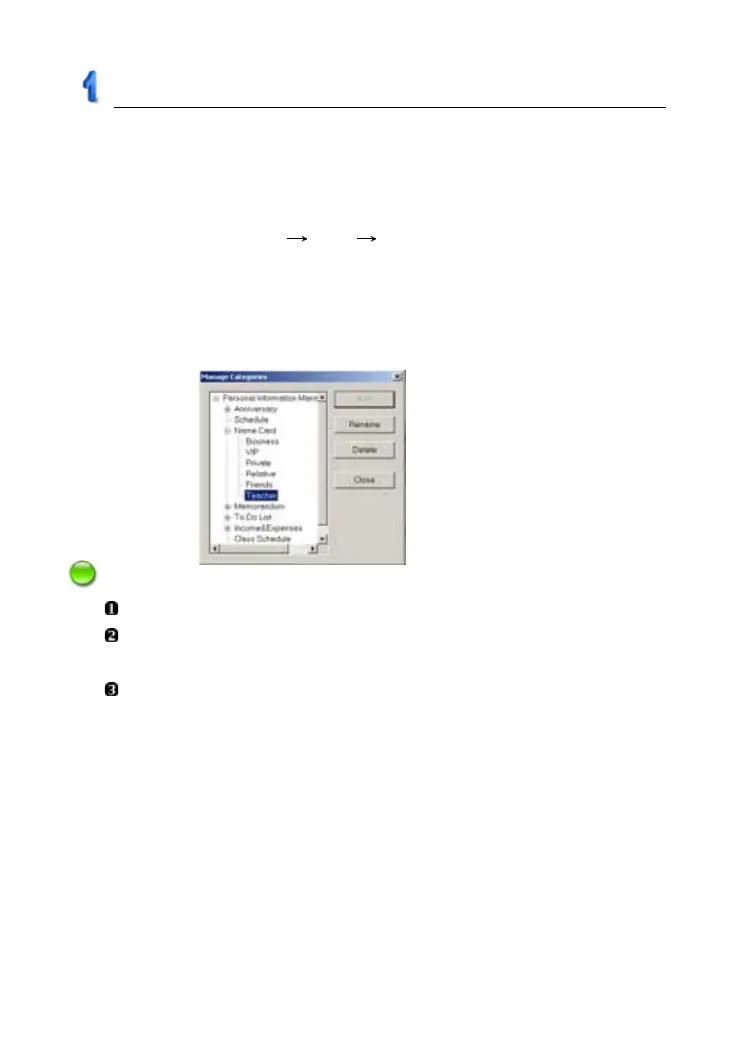
Tap “Manage Categories” in “Tasks Pane”:
* Select “Name Card” “Add” input a new category “Teacher” (as
picture 6);
* Select “Delete” to delete the newly added category (built-in category
can not be deleted);
* Select “Rename” to rename the selected category.
Notes:
Data can not be copied or pasted in different functions.
Custom field is not available in Anniversary, Schedule, To Do List,
Income & Expense or Class Schedule.
The name of custom field/category is up to 16 characters.
1.6 Import/Export
You can import/export corresponding data of Schedule, Name Card,
Memorandum, To Do List from PC Service Home to Outlook Calendar,
Contact, Notes and Tasks of PC, and you are allowed to import/export vCard
between both ends.
picture 6
PC Service Home Guide



 To Next Page