56
*Tap to show the lyrics or the list of songs.
*Tap
to select order of playing.
*Tap
/ to open/close the repetitive playing state.
*Tap
/ to set bit/stop bit, and / will be played when you are setting.
* After setting, the device will play the section between and .
* When pause or stop, the lyrics can be cross searched.
* Tap [ESC] to close the MP3 screen when MP3 keep playing, you can tap
to open MP3 mini screen in other screen.
Notes:
Press [SHIFT] first, and then press [SAVE] to view the on-line help.
The function of simultaneous conveyance of music and lyrics can be
realized only if the two files with the same name and with the suffixes
as “. lrc” and “.mp3” are put into the same folder.
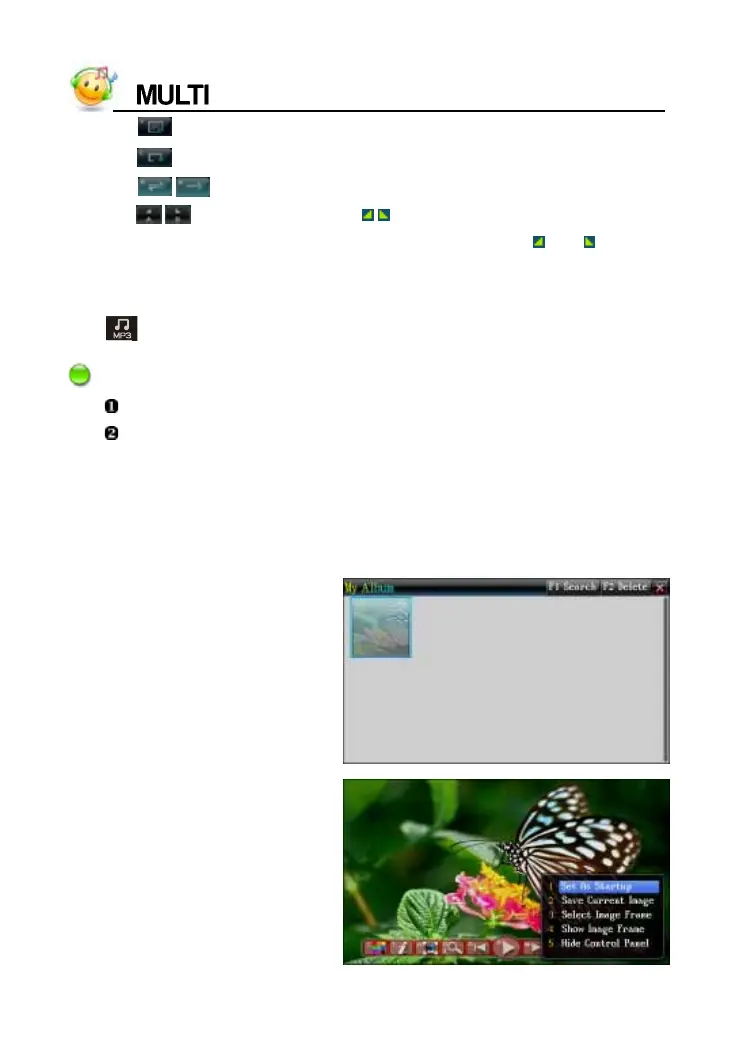
3. My Album
Image browse screen, tap
[FUNC]--[Search] to go on
searching the photos
Tap or press direction key
to choose and view the photo
by full screen, tap screen of
viewing photo to open the
function select menu



 To Next Page