3
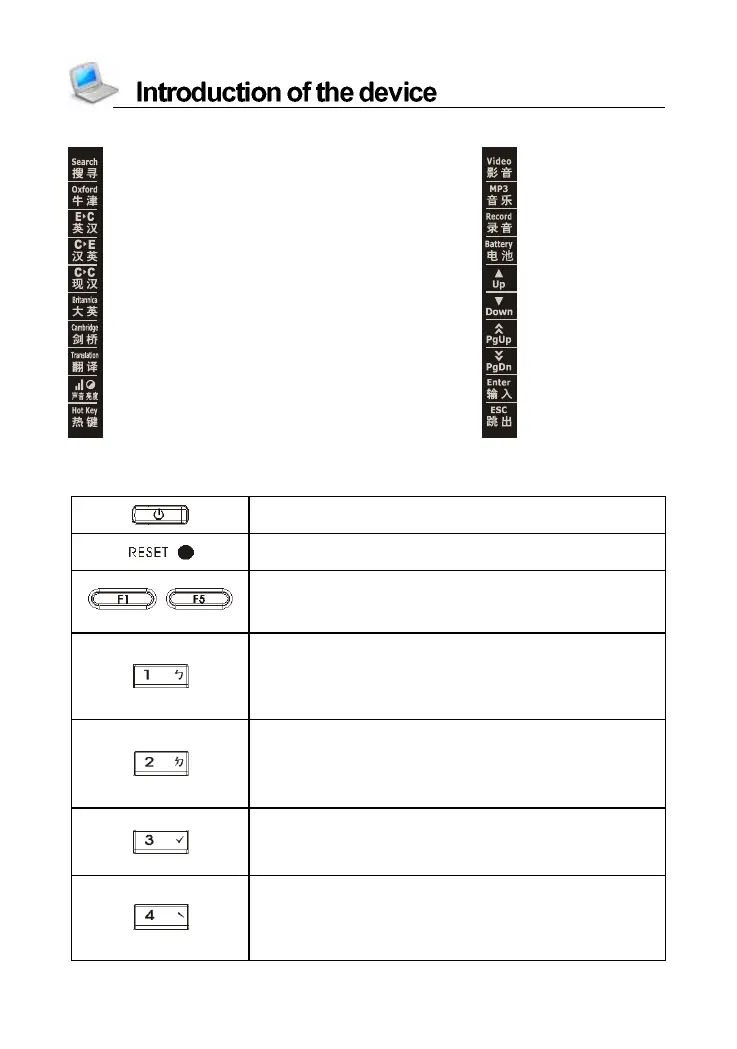
1.4 Touch Panel
:Search Engine :Vedio
:Oxford Advanced Dictionary :MP3
:English-Chinese Dictionary :Digital Recorder
:Comprehensive Chinese-English Dictionary :Battery power
:The Contemporary Chinese Dictionary :Up key
:Britannica Concise Encyclopedia :Down key
:Cambridge Encyclopedia :Page Up
:E-C/C-E translation :Page Down
:Adjust sound and Brightness :Same as [ENTER]
:Open My Favorite screen :Same as [ESC]
2. Keyboard
Power on/off
RESET key
~
Sel ect the corr esp onding m ai n m enu
Function keys, same as [F1]~[F5] on the
screen
Numeric k ey “1”
Chinese phonetic symbol “ㄅ”
The first tone of Pinyin input method
Input symbol “!” with [SHIFT] key
Numeric Key “2”
Chinese phonetic symbol “ㄉ”
The second tone of Pinyin input method
Input symbol “@” with [SHIFT] key
Numeric k ey “3”
The third tone of phonetic/Pinyin input method
Input symbol “#” with [SHIFT] key
Numeric k ey “4”
The fourth tone of phonetic/Pinyin input
Method
Input symbol “$” with [SHIFT] key



 To Next Page