81
2. Service ToolKit
2.1 EbEditor
EbEditor is a software which supports 16 colors and color pictures
combined with text, sound and pictures. You can make a vivid and
interesting eBook or e-card by using the eBook editor in the CD/website.
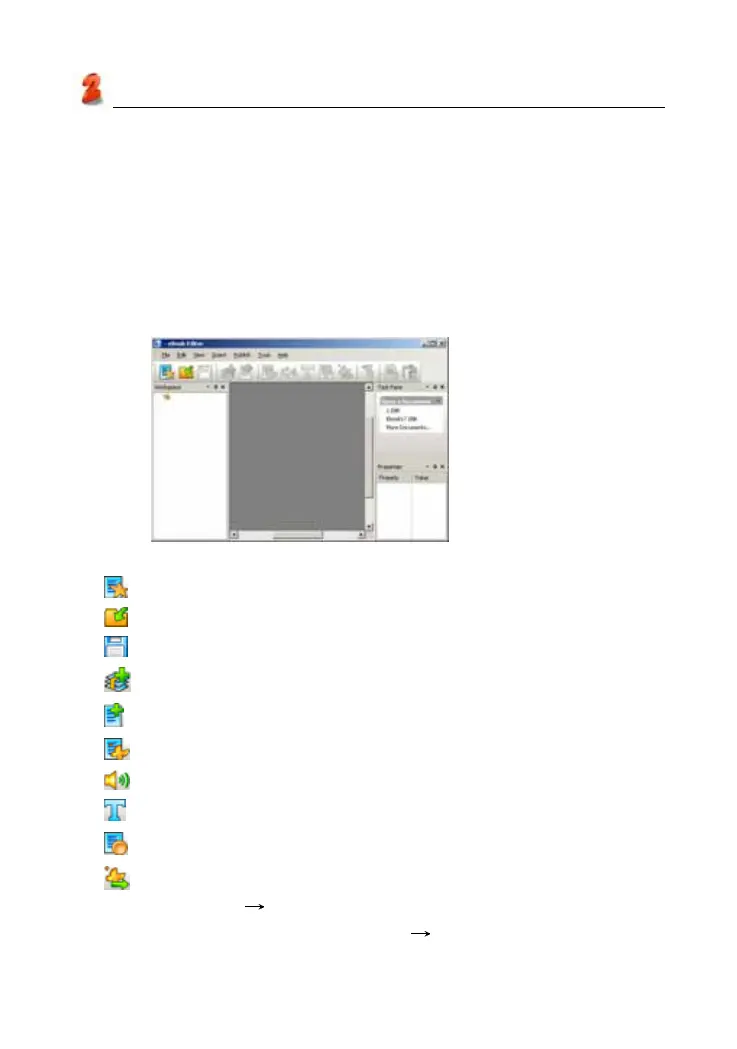
Click “Service ToolKit” -- “EbEditor” in PC Service Home to access the
eBook editor screen. (as picture 8)
Tool list:
(Create a new cm file): To create a new project.
(Open existed file): To open an existed project.
(Save file): To save current project.
(Add CM): To add a new CM in the index of a project.
(Play eBook file): To play eBook with special effect.
(Add image): To add picture or animated cartoon in the current CM.
(Add sound): To add MP3 file in the current CM.
(Add text): To add text in the current CM.
(Add text button): The button of adding text in the current CM.
(Add output control): You may use macro function. please click
“Help” menu
“Content” to view “Advanced functions of eBook
Editor” of “Make your own eBook” “Using Macro to optimize your
eBook”.
picture 8
Service Toolkit



 To Next Page