14
5. Initialization or RESET
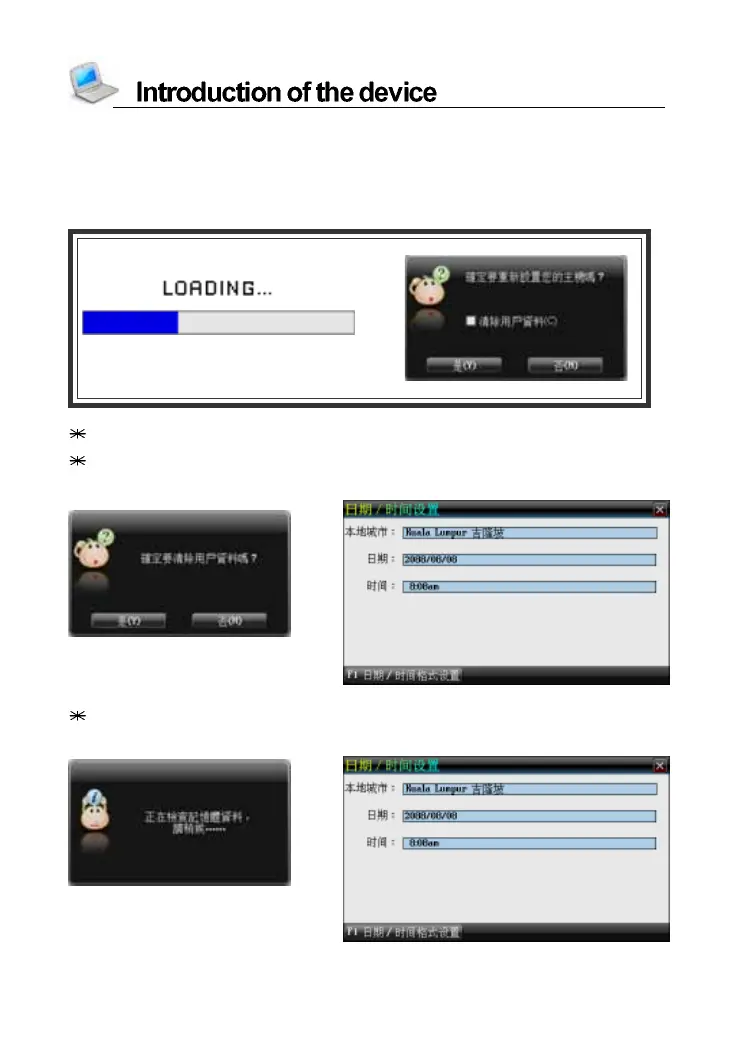
When you turn on the device for the first time or RESET the device, you
should set your device according to the following steps:
-->
Select [N] to access the main menu.
Select [Y], system check the data of memory to return to the default
values. Then entering the Date/Time Setting screen.
-->
Tap [C] first, and then tap [Y] to clear all the data saved in the device.
Then enter the Date/Time Setting screen.
-->



 To Next Page