12
3. The Panel
The touch panel possesses high penetrability.
The product adopts 4.3 inch TFT screen.
4. Power Source
One of the following three power sources can be used.
Rechargeable lithium battery. (3.7V/1050mAh)
Connect with PC via USB cable. (With charging function)
A power adaptor with DC output 5V/1A.
This power source can be used with operation .
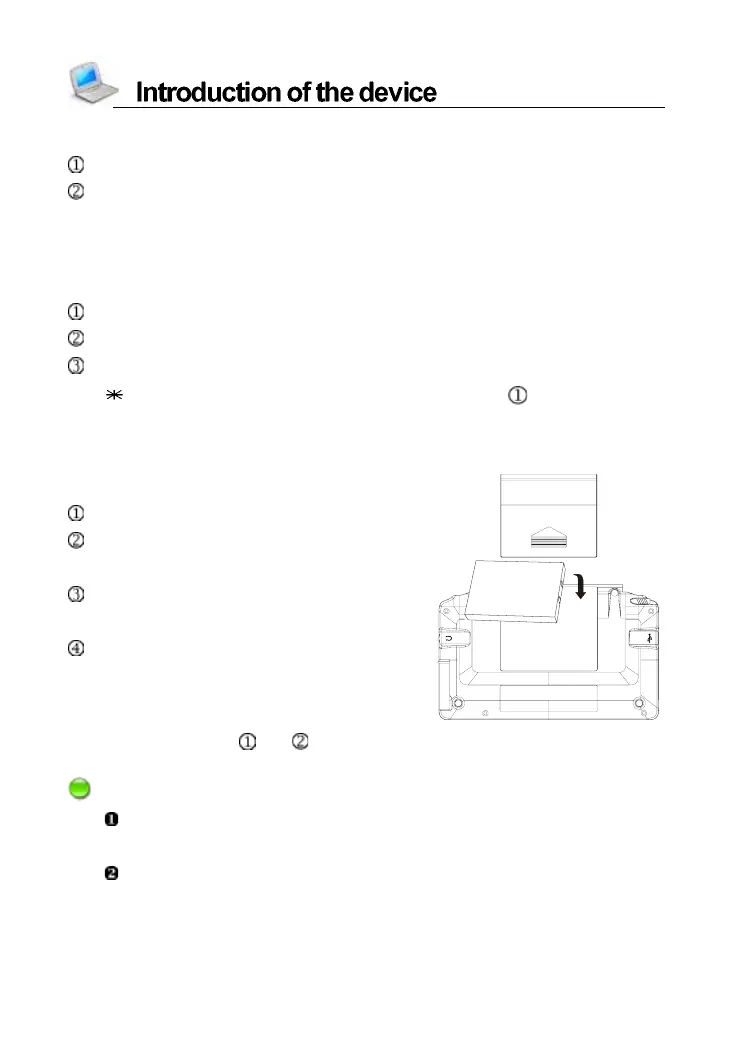
4.1 Replacing Battery
Insert:
Press [ON/OFF] to turn off the power.
Remove the battery compartment
cover.
Insert the battery into the compartment
as right.
Close the battery compartment cover
securely.
Remove:
Repeat the steps and . Then please remove the battery as instruction.
Notes:
When the power is insufficient, please insert the USB cable or power
adaptor to recharge the battery.
If the screen of “LOADING...” appears repeatedly, this means the
battery is no longer usable. Please get a new one.



 To Next Page