11
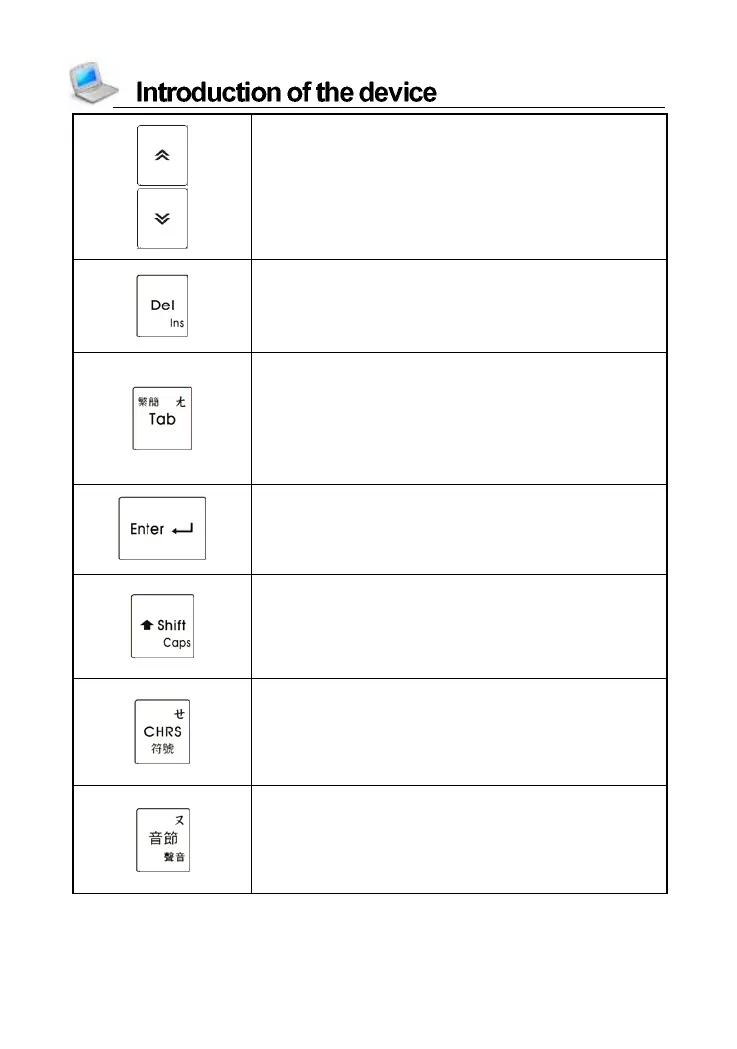
Page up
View the previous data
Page down
View the next data
Delete a character after the cursor
Delete the selected item, same as [DEL] on
the screen
Insert word(s) with [SHIFT] key
Switch focus on some screens
Switch the main menu between traditional
and simplified character
Chinese phonetic symbol “ㄤ”
Open∕Close preview screen when
searching in dictionaries with [SHIFT] key
Confirm the current action
Move the cursor to the next line to input data
Mathematical s ign: equal to [=] to calculate
result
Combine with other keys
Temporarily lock the keyboard for inputting
capital letters in English
Press [SHIFT] twice to lock the keyboard for
inputting capital letters in English
Chinese phonetic symbol “ㄝ”
Input symbols (Notes: you should first switch
to other Chinese input methods when using
the Chinese phonetic symbol input method,
then to input symbols)
Chinese phonetic symbol “ㄡ”
Pronounce syllable by syllable for words on
the explanation screen of dictionaries
Set volume, speed and Brightness with
[SHIFT] key; Set Mute function



 To Next Page