62
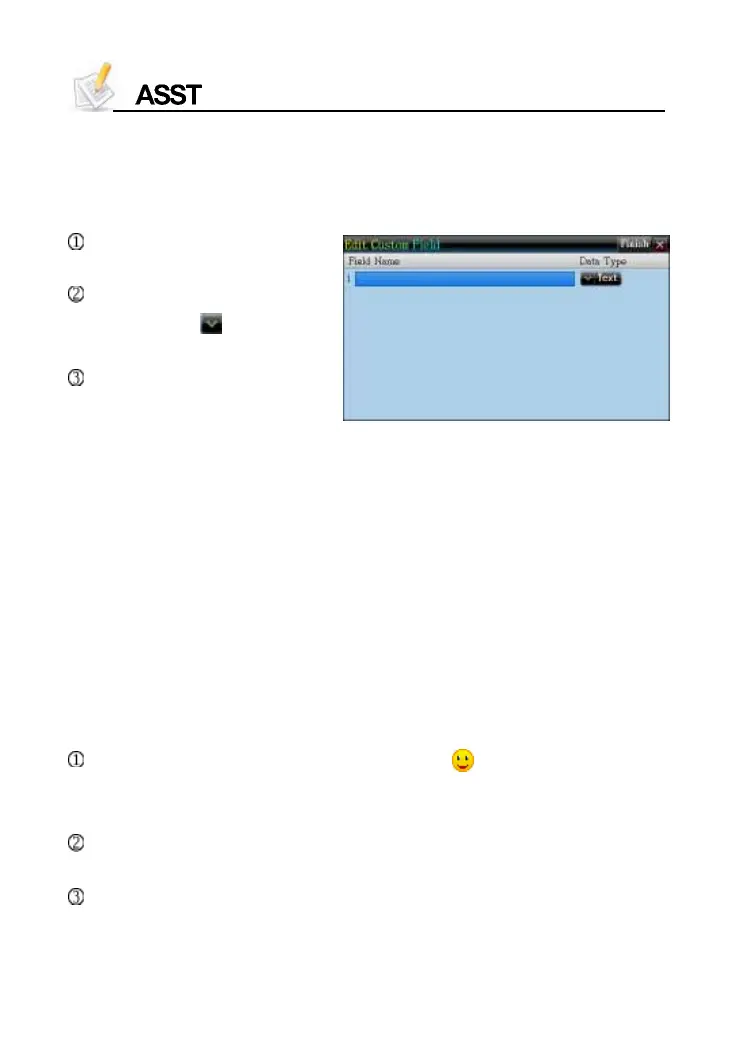
1.1.1 Custom Field
* Take Name Card as example
You can set up to 6 custom fields, all of which can be deleted in <SYS
--Memory Management>.
Tap [Func] to select “
2 CustomField”.
Tap item to input data.
* Then tap to open
the dropdown menu.
Tap [Finish] or press [SAVE]
to save data.
1.1.2 Edit Category
There are five categories--Business, VIP, Private, Relative and Friends
for Name Card. You may add three more categories for your choice.
For Memorandum, there are three categories--Daily, Business and
Family, you can also add five more.
All the categories can be renamed. The custom categories can be
deleted in Memory Management.
1.2 Data Index
If there is saved data, the index will appear when the function is
accessed. You can delete or lock data on index screen.
Name Card: If the entry contains photo, tap to look up the portrait. If
not, directly access the details. Tap telephone number to view other
number list.
Memorandum: Displays the list of categories first when you access,
and then displays the index screen of the selected category.
Schedule: Allows to look up One/All, Week/Day Chart on the index screen.



 To Next Page