53
Text Browser
* Supports displaying .txt files.Provides font size switching, font type
choosing, background color setting and text reading.
1. Video
Allows to play files in format of .wmv, .rm, .avi, .rmvb, .pav, .bav.
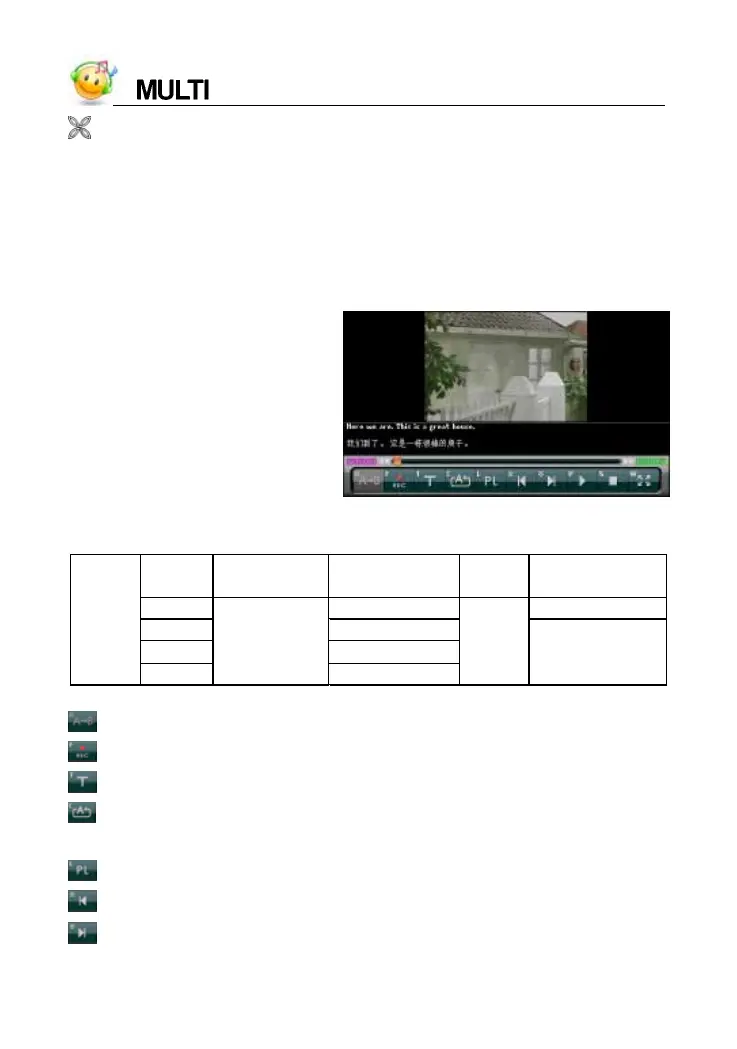
Playing screen of Video
Device allows to play the format of files.
: [R] key, to contrast pronunciation again during reading after the device.
: [F] key, to read after the device, press [ESC] to stop.
: [T] key, to select caption display mode.
: [C] key, to open and select among “Play Single, Loop One, Play By
Order, Loop All and Play List”.
: [L] key, to start to play the film.
: function same as the page up key, show to play the previous film.
: function same as the page down key, show to play the next film.
format screen size bit rate
frame
rate
audio
.wmv 300k bps 64~128kbps
.rm 200~300kbps
.avi 500k bps
Video
.rmvb
480*272
200~300kbps
about
20fps
64kbps
recommended



 To Next Page