BestCode Next Series 8 Technical Manual October 2022 Page 140 of 290
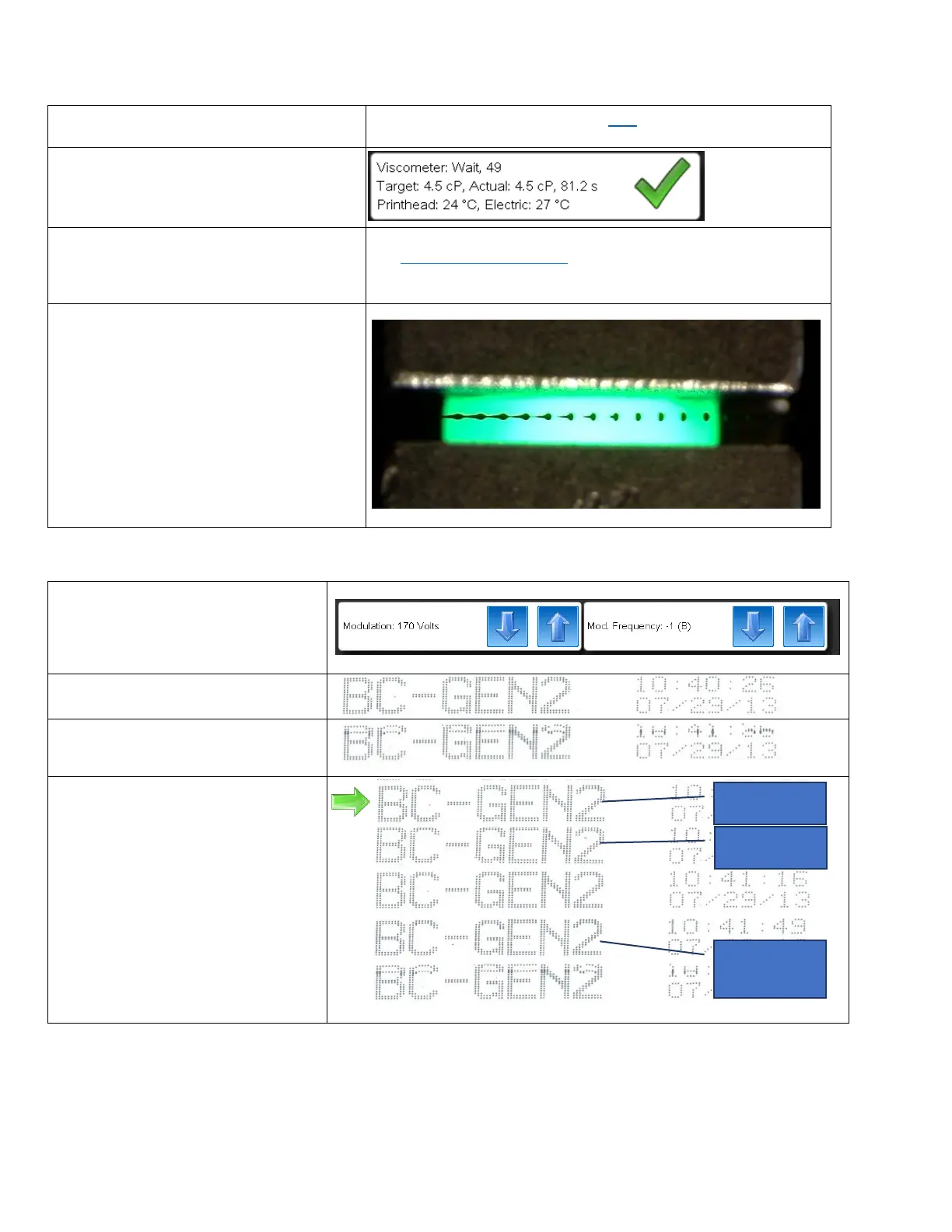
Inspecting the Drop Breakup
1. Set the starting values for Modulation,
Pressure, and Charge.
See Calibration Starting Values chart here
3. Run until the Viscosity is within range of
the Target Viscosity. (4.0-5.0cP)
4. Inspect the breakup to visually determine
if the breakup is acceptable.
See Drop Breakup Appearance chart on Previous Page.
5. If necessary, adjust the modulation
voltage until Good Breakup is achieved.
Calibrating the Modulation
1. After visual inspection, set the
modulation to the voltage and
frequency with the best breakup.
2. Make a test print using the default
message.
3. Reduce the voltage by 10V and
print again.
4. Repeat until a bad print in achieved.
5. Set the modulation point to 30V
above the lowest acceptable print.



 To Next Page