BestCode Next Series 8 Technical Manual October 2022 Page 77 of 290
When to Add Ink
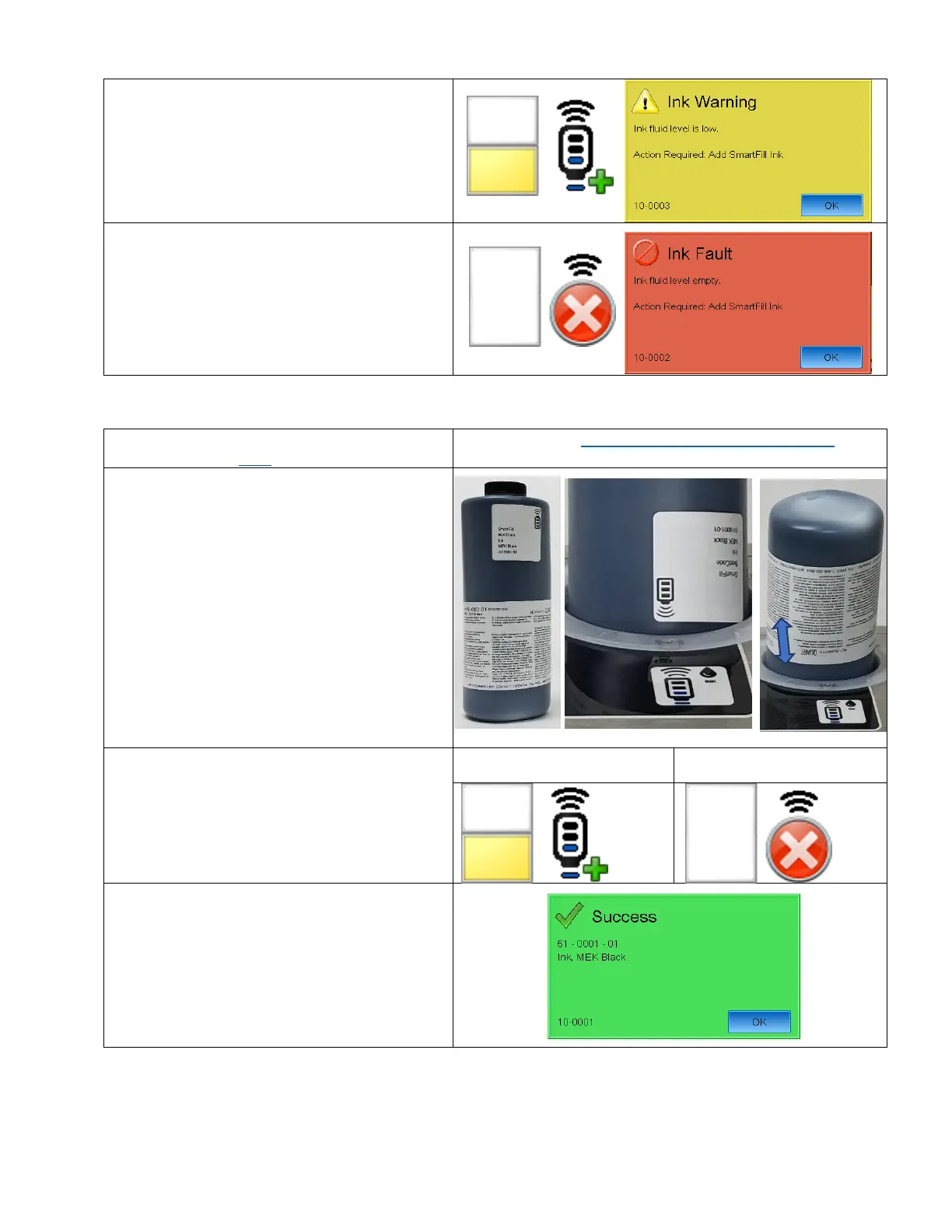
The BestCode Next Series 8 CIJ will begin requesting
an Ink bottle be added when the Float switch in the
Ink Tank is in the low state.
An on-screen prompt, Ink Warning, 10-0003 will
occur every 6 minutes while the Ink Tank is in this
State.
After 250,000,000 drops have been printed after the
low state, the system will give the Empty warning
10-0002.
A bottle of SmartFill Ink must be added to the
machine before the Jet can be started.
Be aware of all safety warnings regarding the
handling of ink. See here for handling info.
Video Guide Here: https://youtu.be/X0NadNkWcAU?t=161
1. Place 1 capped bottle of Ink in the Ink Smartfill
Cup.
2. Make sure the SmartFill symbols are aligned.
3. Press the Ink Status button on the Screen.
4. This process works for Low and Empty
situations.
5. Wait for the Success prompt (10-0001).
6. DO NOT PRESS OK.



 To Next Page