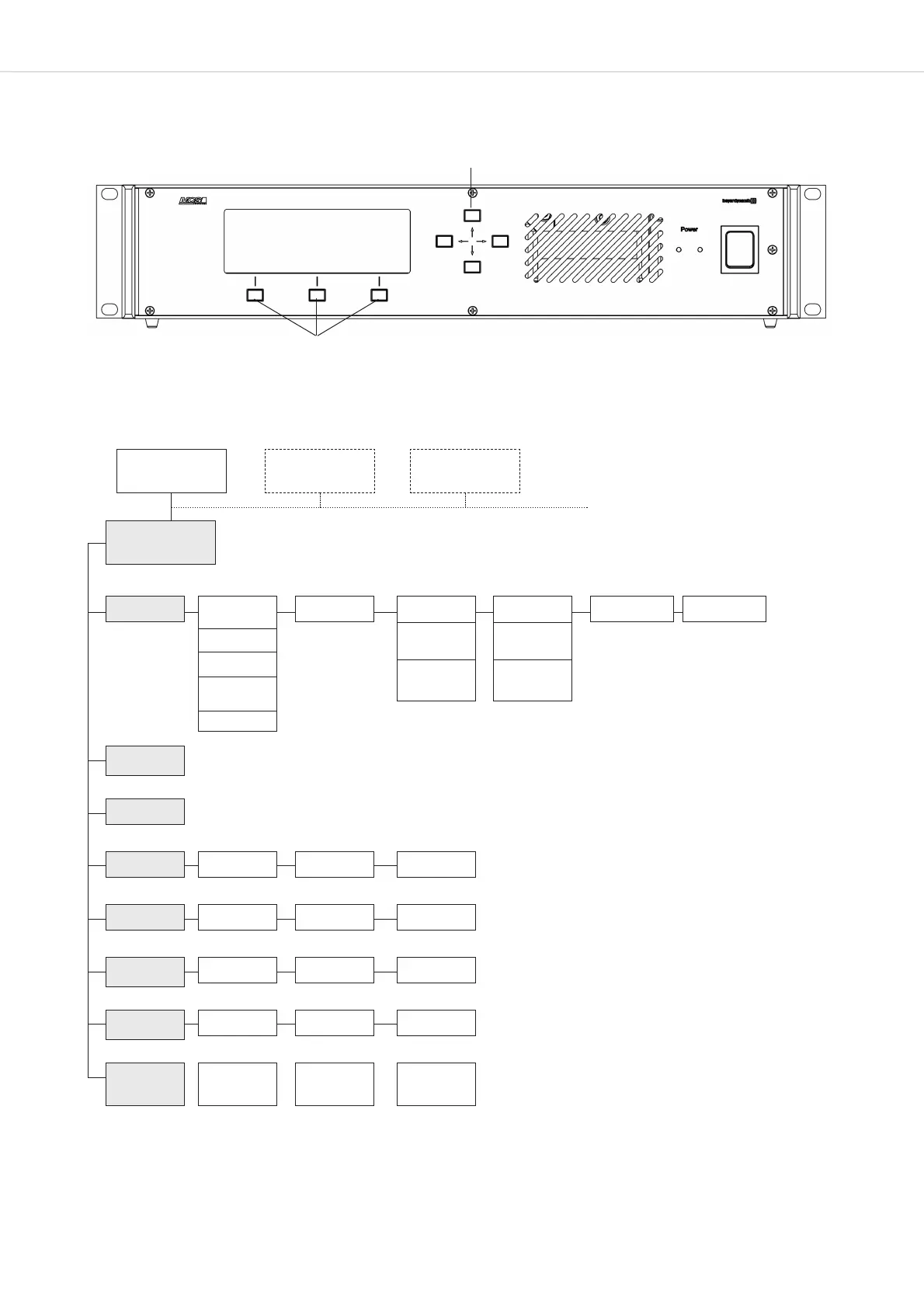
MCS-D 200 – Menu
12
3.3 How to operate the Menu of the MCS-D 200 Control Unit
• You can scroll through the menu by using the navigator buttons and menu buttons .
3.3.1 Menu Overview of the MCS-D 200 Control Unit
*Only in MultiSession operation via iCNS. It is not possible to adjust settings or only to a certain extent.
**Inactive. This function is only available by using the iCNS software.
MAIN MENU
SESSION [01]
MAIN MENU*
SESSION [02]
MAIN MENU*
SESSION [03]
SYSTEM
SETUP MENUS
1. Session 1.1 Modes/Limits
1.1.1 Free
1.1.2 Request
1.1.3 Auto-Free
Auto Request
1.1.4 FiFo
1.2 Channel List 1.5 O-tone Cluster 1.6 Mic. Sens.1.3 President(s)
1.3.1
Set President(s)
1.3.2
Priority Level(s)
1.4 Interpreter
1.4.1
Select Channel(s)
1.4.2
Select Booth(s)
2. Define
Channels
3. Message(s)**
4. Options 4.1 Time 4.2 Ports 4.3 MCS-D Infos
5. Delegate IDs 5.1 ID List 5.2 Set IDs 5.3 Conflicts
6. Interpreter
IDs
6.1 ID List
6.2 Set IDs
6.3 Conflicts
7. Technician
IDs
7.1 ID List 7.2 Set IDs 7.3 Conflicts
8. DAI/DDI
Management
8.1 Ext. DAI/DDI
ID List
8.2 DAI/DDI
Setup
8.3 DAI/DDI
Control












 To Next Page