MCS-D 200 – Menu
30
3.3.6 Options
3.3.6.1 Time
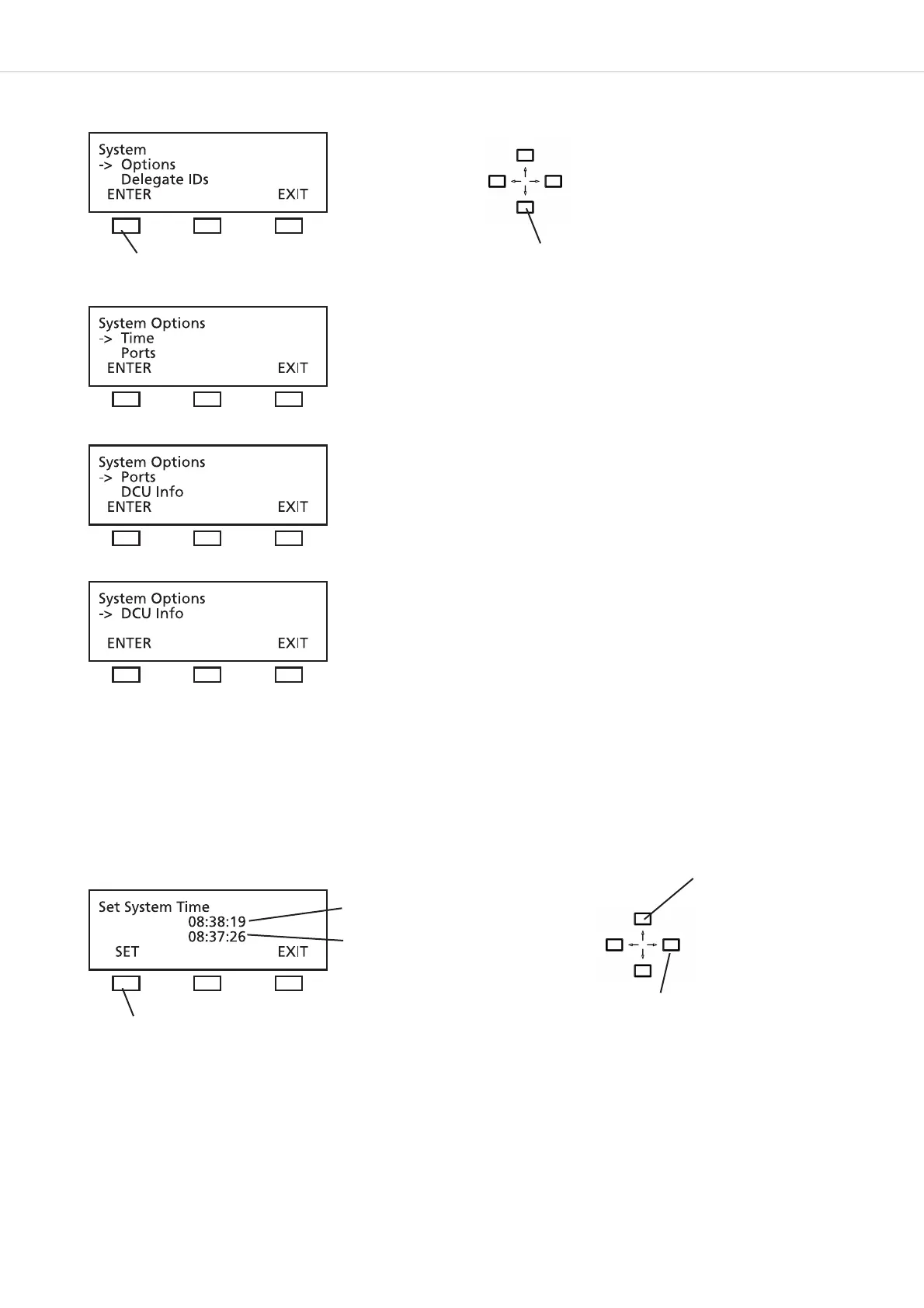
In the TIME menu the system time for the MCS-D 200 control unit, MCS-D 202 and MCS-D 2073 microphone stations can be set manually
in the format HOURS – MINUTES – SECONDS.
When the iCNS software is started, the system time is refreshed automatically.
The current system time is displayed in the CURRENT TIME line as:
HOURS : MINUTES : SECONDS.
You can change the time in the line below. Use the right or left hand navigator button to go from HOURS to MINUTES and SECONDS.
Use the up or down navigator button to set the new values and press the SET button to confirm.
press the ENTER button
Use the up or down navigator button for scrolling
Current time setting
Refreshed time setting
press the SET button to confirm
Use the right or left hand navigator button to go
from HOURS to MINUTES and SECONDS
Use the up or down
navigator button to edit
the numbers












 To Next Page