MCS-D 200 – Menu
36
3.3.8.1 Interpreter ID List
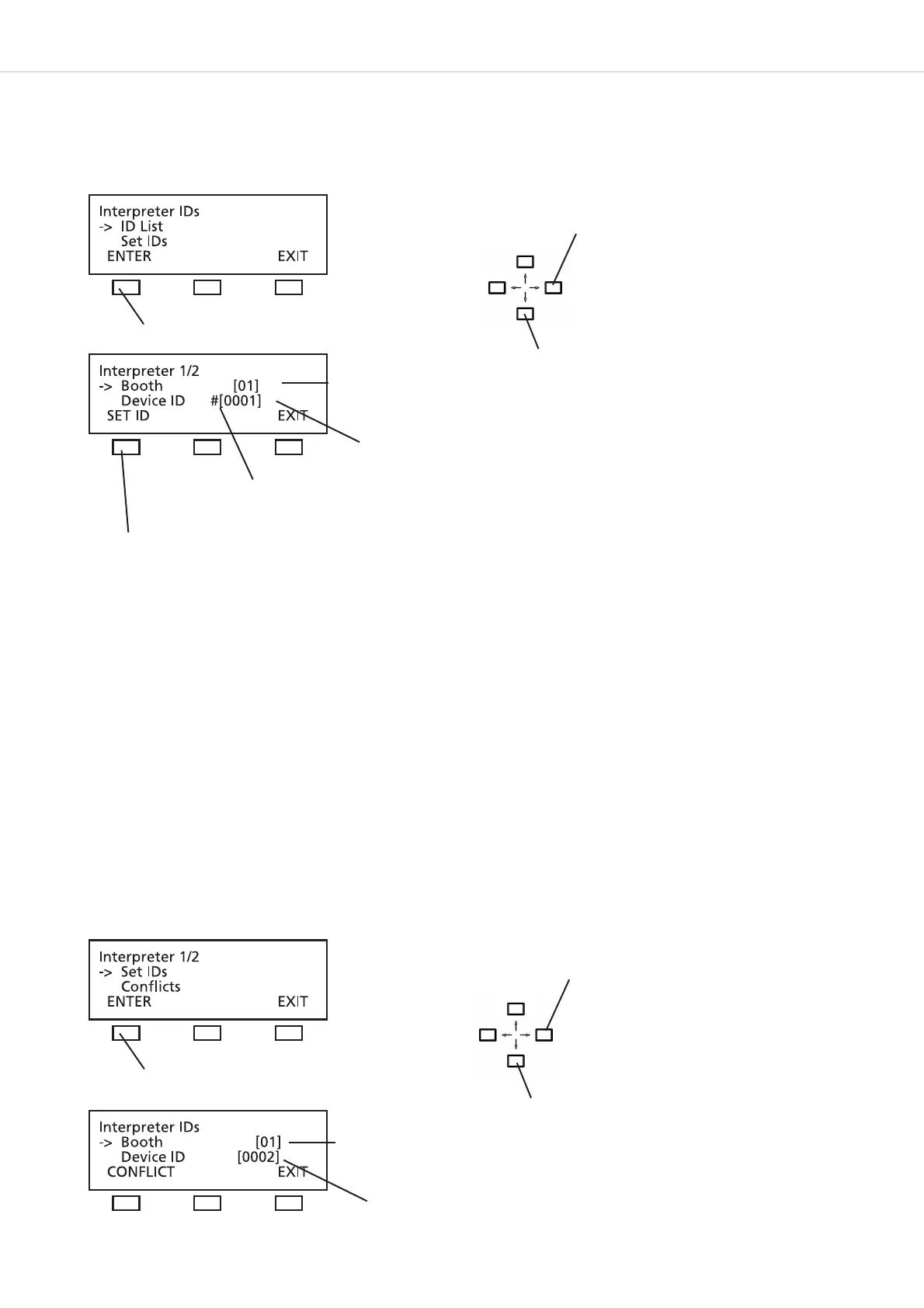
You may select an individual device and assign a booth in combination with a device identification number (DEVICE ID). Also refer to
chapter 3.3.8.2 “Set Interpreter IDs” to find out how you can assign identification numbers to all interpreter stations.
Go to the “Booth” line and enter the booth number. Then use the down navigator button to go to the “Device ID” line. The LED ring of
the selected microphone station will illuminate (here: microphone station 1 out of 2).
Use the right or left hand navigator button to enter a device ID number (1 to 2000). If you select an ID number which has been already
assigned, hash will be diplayed. In this case select a different number to avoid conflicts.
The same ID number can be assigned to interpreter stations in different booths.
Example:
Booth 0001: Interpreter station no. 0001, 0002;
Booth 0002: Interpreter station no. 0001, 0002.
Select the next interpreter station, and so on.
3.3.8.2 Set Interpreter IDs
With this function you can assign device IDs to all microphone stations in one booth by pressing the MIC button of the microphone
stations one after another.
Note: You can directly assign IDs to the MCS-D 202 interpreter station. Refer also to the chapter 8.6 “How to assign an ID to the
interpreter station”.
Use the up or down navigator
button for scrolling
Use the right or left hand
navigator button to change the
number
Booth number
Device identification number (ID)
Hash indicates that the ID number has been alrea-
dy assigned to another device. Select a different
number!
Press the SET ID button if the device has the des-
ired number.
press the ENTER button
press the ENTER button
Use the up or down navigator button for scrolling
Use the right or left hand navigator button to
enter the first ID number!
Booth number
Device ID number












 To Next Page