MCS-D 200 – Microphone Units
47
6.3 Controls and Indicators
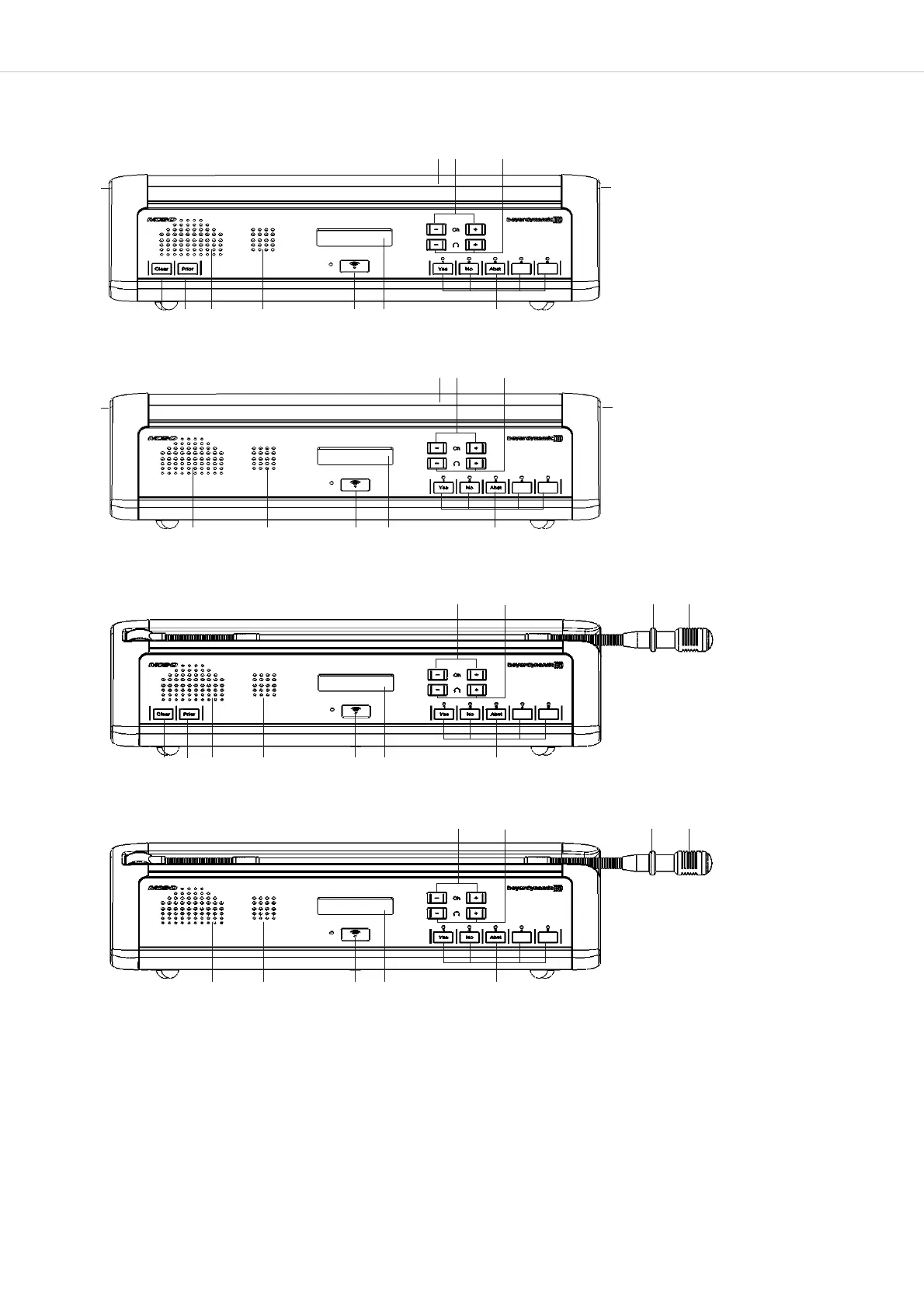
MCS-D 3173/3171: Microphone with Revoluto technology
MCS-D 3073/3071: Gooseneck microphone with LED ring
MCS-D 3173/3171: LED strip illuminates when the microphone is activated.
MCS-D 3073/3071: LED ring illuminates when the microphone is activated.
Loudspeaker. The original signal of the conference is transmitted via the loudspeakers. As soon as the microphone is activated the
loudspeaker will be deactivated. The volume is set via the control unit.
Microphone button with LED to activate the microphone.
“Clear” button to clear all activated delegate microphones.
“Prior” button to mute all activated delegate microphones and to turn on the MCS-D 3173/3073 microphone.
LC display
Voting buttons. Button 1 to 3 for parliamentary votings. Button 1 to 5 for multiple choice.
Navigator buttons to select the headphone volume.
Navigator buttons to select a channel.
Front view - MCS-D 3173 chairman microphone unit
Front view - MCS-D 3171 delegate microphone unit
Front view - MCS-D 3073 chairman microphone unit
Front view - MCS-D 3071 delegate microphone unit












 To Next Page