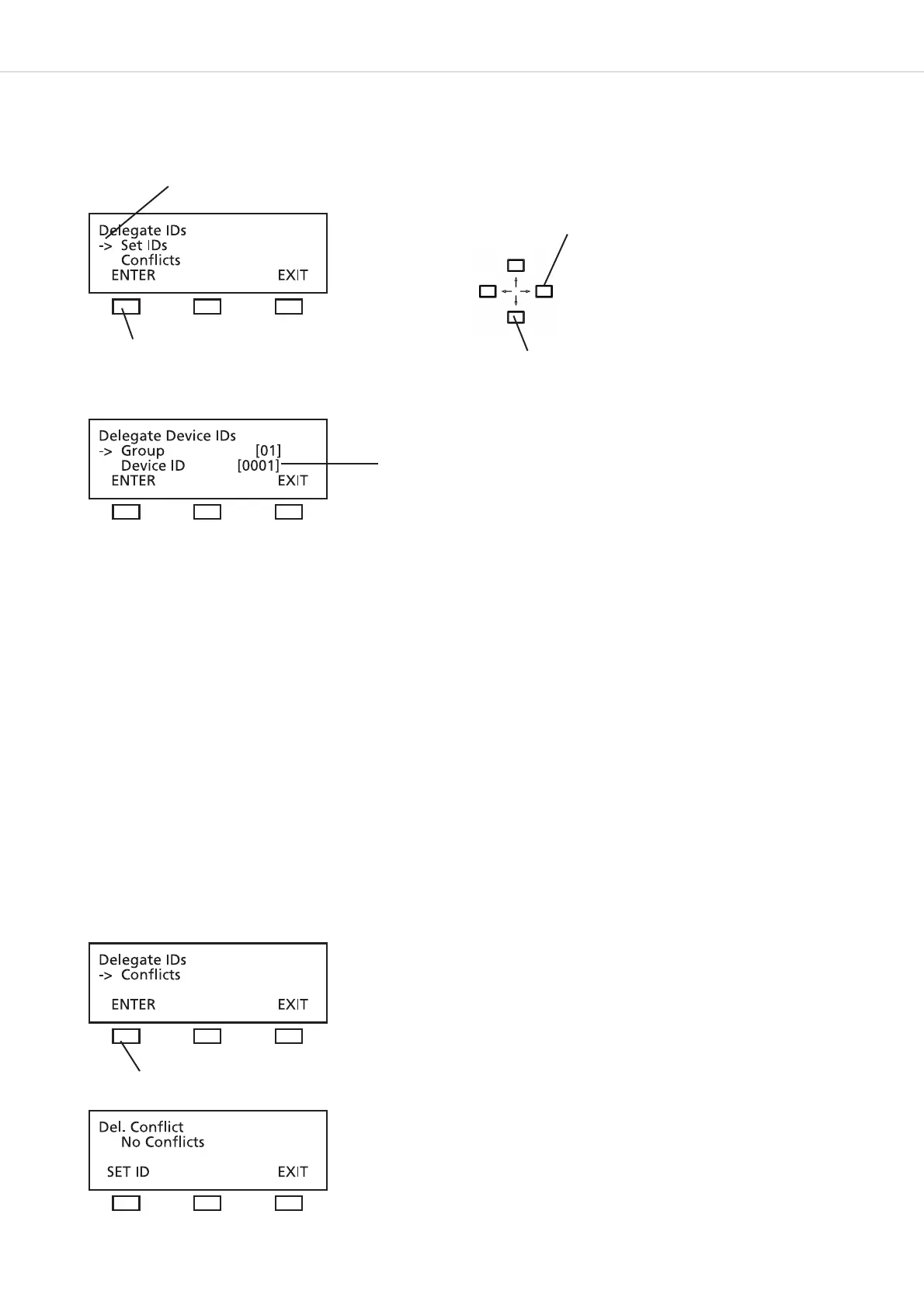
MCS-D 200 – Menu
34
3.3.7.2 Set IDs
This function allows you to set identification numbers for all microphone stations by pressing the MIC button of all microphone stations
one after the other.
Go to the “Group” line. Use the right or left hand navigator button to change the session number, if necessary.
Note:
In the stand-alone mode (if you do not use the iCNS software) all microphone stations are assigned to the same session, no matter to
which group they belong. Microphone stations can be assigned to different groups only when using the iCNS software in the MultiSession
mode.
Use the down navigator button to go to the “DEVICE ID” line. Use the right or left hand navigator button to enter the first ID number.
Then press the microphone button of the first microphone station to assign the first ID number to this microphone station. The LED ring
will illuminate and the display of the microphone station will show the ID number. Press the microphone button of the second microphone
station. The LED ring will illuminate and the next ID number will be shown on the display of the microphone station. Continue like this to
assign ID numbers to all microphone stations one after another.
Refer to the previous chapter to find out how to assign individual ID numbers.
3.3.7.3 Conflicts
For identifying a device identification number (ID) should be assigned to each delegate station. To avoid conflicts each ID number may be
assigned only once.
Use the up or down navigator button for scrolling
press the ENTER button
Device identification number
press the ENTER button
The arrow indicates the active line
Use the right or left hand navigator button to
enter the first ID number.












 To Next Page