MCS-D 200 – Menu
29
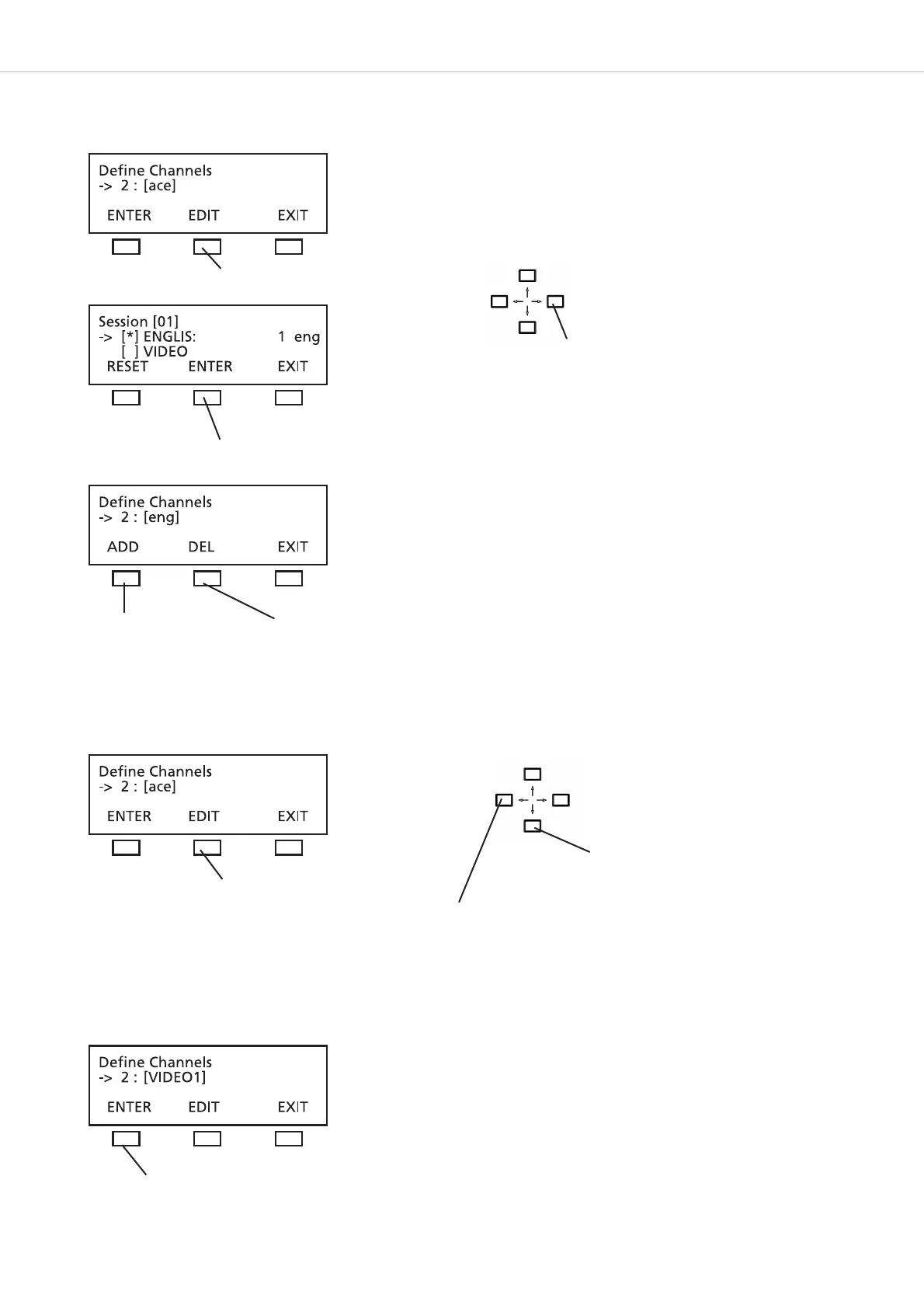
For a language channel select the name from a list of international language codes (refer to chapter 12. “List of Language Codes”):
For any other channel which does not receive an international language code, you can select individual characters from a list of characters:
When the EDIT button is pressed the cursor goes to the first position. Use the up or down navigator button to select a character from the
list. Use the right or left hand cursor button to go to the next position etc.
Use the right or left hand navigator button to
scroll through the list of language codes
press the EDIT button to open the channel list
press the ENTER button to confirm
press the ADD button to
define a new channel
press the DEL button to
delete a channel
press the EDIT button
press the ENTER button to confirm
Use the up or down navigator button to
scroll through the list to find the desired
character
Use the right or left hand navigator button
to go with the cursor to the next character
position












 To Next Page