MCS-D 200 – Menu
40
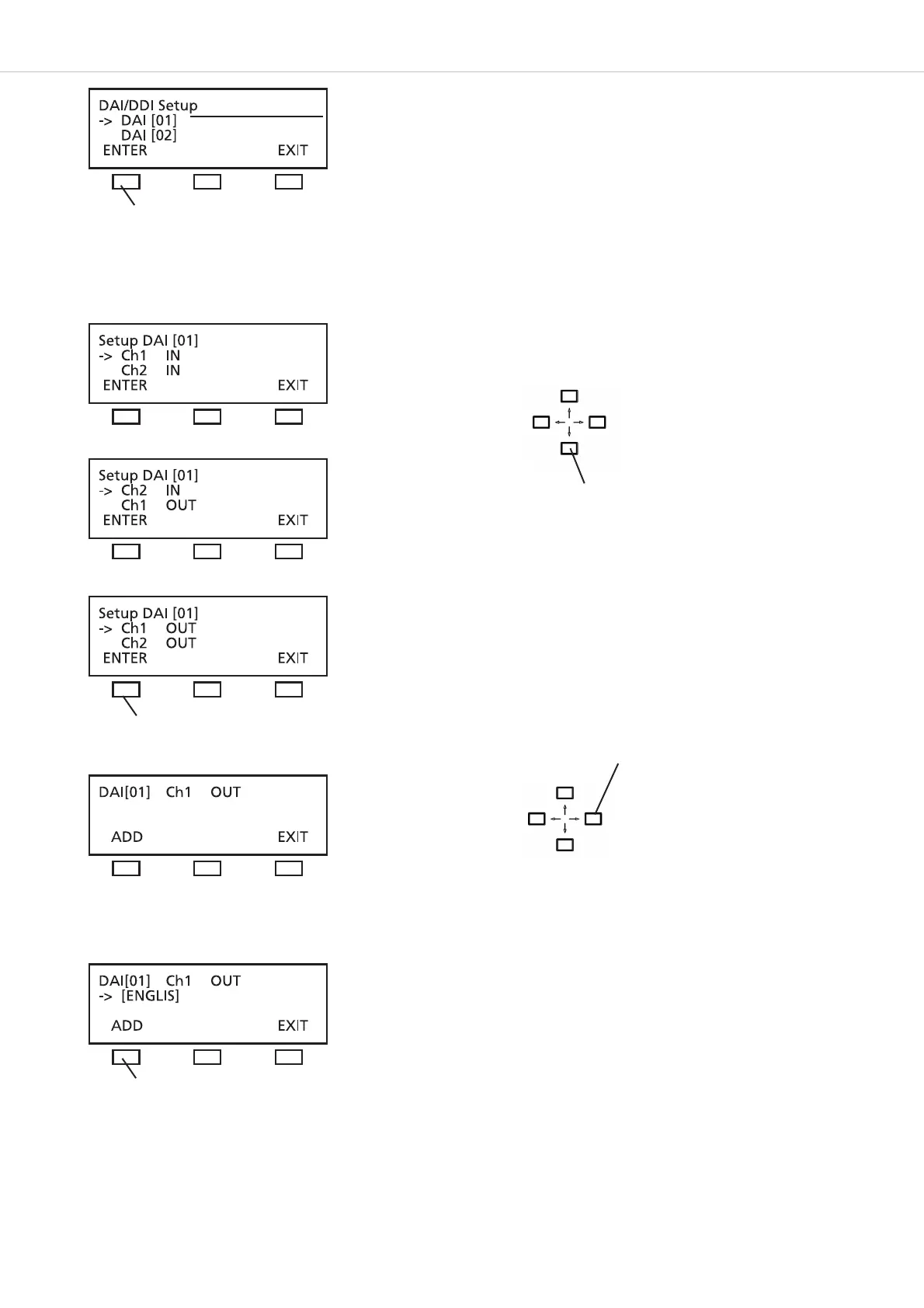
Each DAI unit features CH1 IN, CH 2 IN; CH 1 OUT, CH 2 OUT
Scroll through the list of channels which has been defined in the DEFINE CHANNELS menu before.
Press the ADD button to confirm the selected channel. You can select and add another channel or press the EXIT button.
press the ENTER button, to assign channels to DAI no. 01
External DAI no. 01
press the ENTER button for CH 1 OUT
press the ADD button
Use the up or down navigator button for
scrolling
Use the right or left hand
navigator to scroll through the list
of defined channels!












 To Next Page