MCS-D 200 – MCS-D 202 Interpreter Station
63
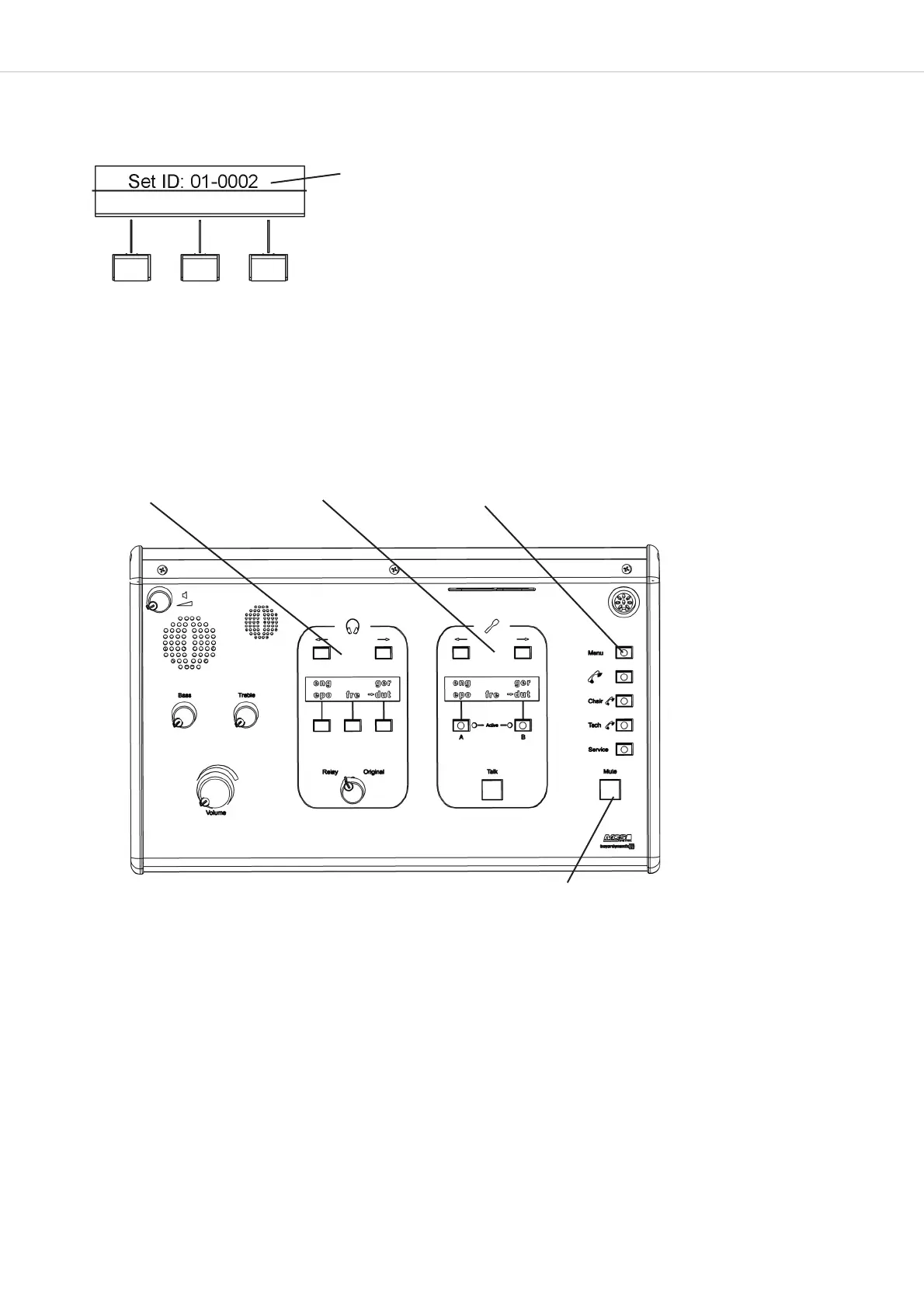
Station ID= BOOTH-ID + DEVICE-ID
1. Change BOOTH-ID 2. Change DEVICE-ID EXIT
SAVE
How to set the ID
The “SET ID” line is displayed.
By using the PRE-SELECT buttons you can change the BOOTH ID and the DEVICE ID as described below:
1. BOOTH ID: press left/right relay channel PRE-SELECT button
2. DEVICE ID: press left/right output channel PRE-SELECT button
How to save the ID
Press the MUTE button. The interpreter station ID is saved. The ID is shown on the left display.
How to exit the ID mode
Press the MENU button to exit the mode. The ID of the intepreter station is not displayed any more.












 To Next Page