Introduction
6
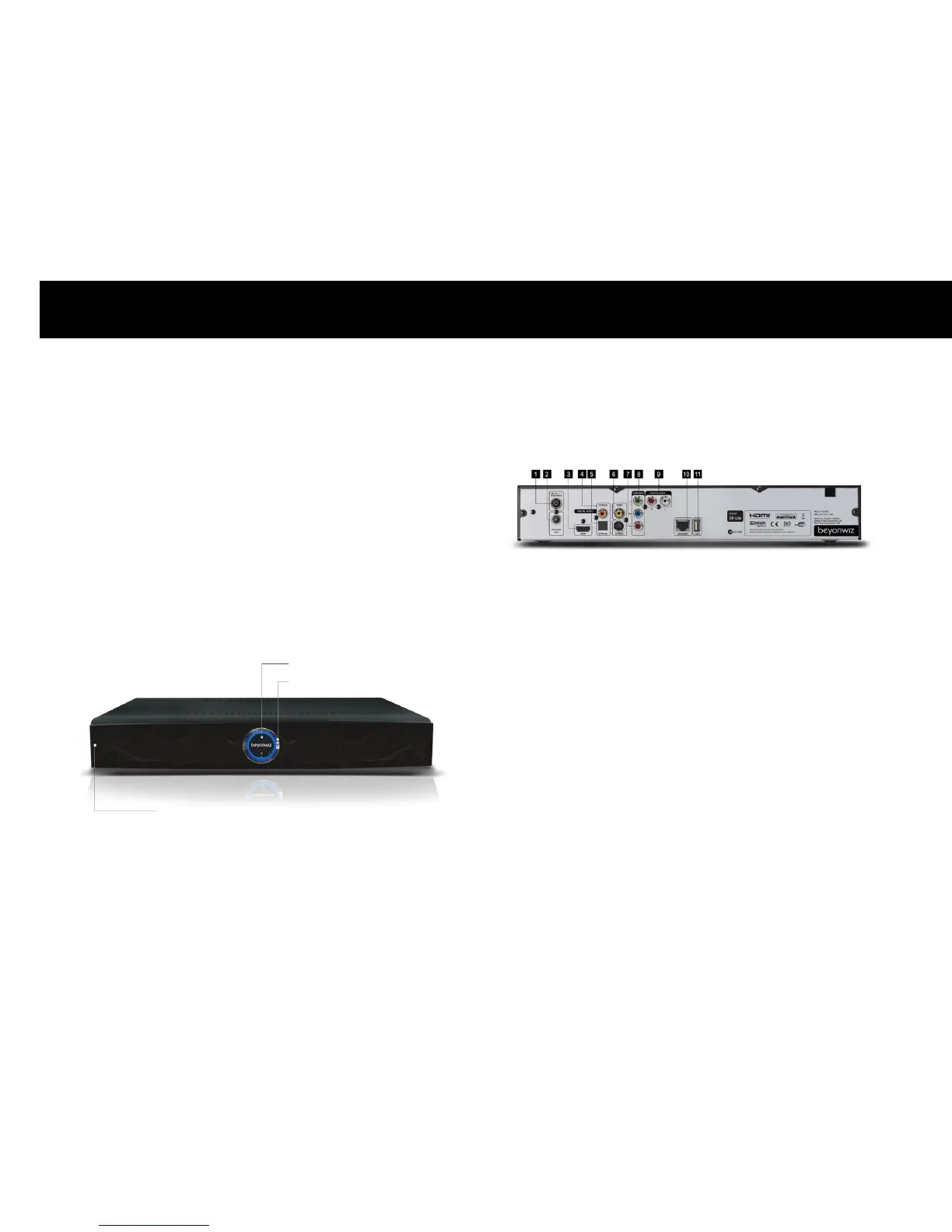
2. Front Panel
2-1.
Buttons
Five buttons are placed on the front panel.
STANDBY Button: it switches the DP-Lite between the operation and
standby modes.
CHANNEL Buttons: the top and bottom parts of the circular button
work as the channel-up and channel-down buttons.
VOLUME Buttons: the left and right parts of the circular button work
as the volume-down and volume-up buttons.
Standby Button
Channel, Volume Buttons
Front Panel
3. Rear Panel
1. RF ANTENNA IN
2. RF LOOP OUT
3. HDMI
4. COXIAL AUDIO
5. OPTICAL AUDIO
6. COMPOSITE VIDEO
7. S-VIDEO
8. COMPONENT (Y/Pb/Pr)
9. 2 CH AUDIO
10. ETHERNET
11. USB



 To Next Page