Introduction
7
4. Remote Control
4-1.
Operating DP-Lite
In order to operate the DP-Lite with the enclosed remote control, please
select
STB
mode by pressing the
STB
button. The red backlight
beneath the
STB
button lights when you press a button in this mode.
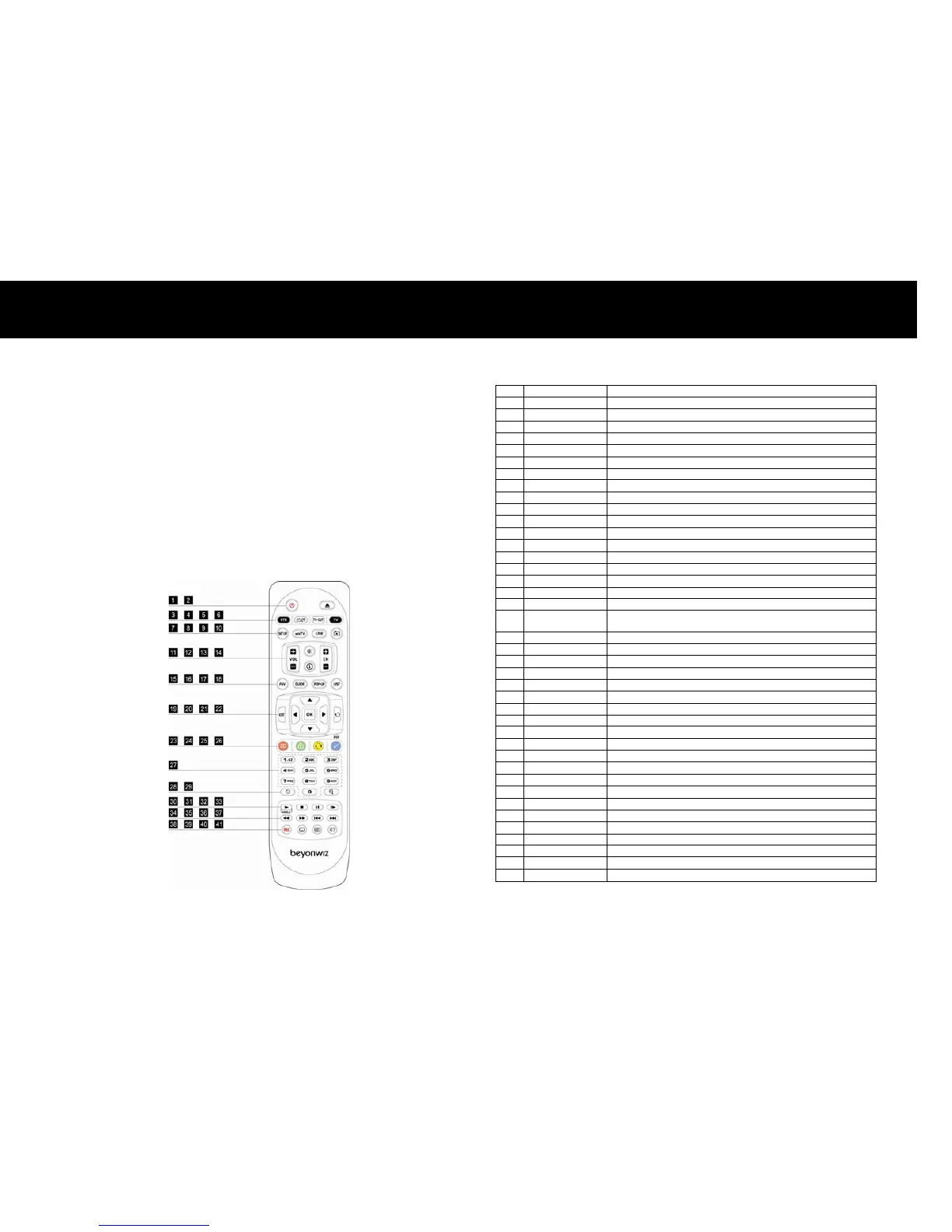
The picture below and table on the right show the function of each
button on the remote control.
1
STANDBY Switch the DP-Lite
between Operation and Standby mode.
V or Radio while in STB mode.
V-OUT Change Video Output. (Refer to page 17
Control standard TVs with this remote control.
WizTV Go to Internet Service.
VOL +/- Adjust the volume. (Increase/Decrease)
CH +/- Change TV or Radio Service.
Enable or disable the Audio output.
Show service information.
Show Favorite Service List.
GUIDE Show EPG (Electronic Program Guide).
POP-UP Show advanced menus
Return to the previous menu or Cancel.
20
UP/DOWN/LEFT/
RIGHT
Move the indicator on the menu mode.
21
Select an item on the menu or Confirm.
RECALL Recall the previously viewed (or listened) service.
GREEN Optional function ke
, and play from the bookmarked position.
YELLOW Optional function ke
ZOOM Zoom-in or Zoom-out, and change aspect ratio.
PAUSE Pause playback, pause live TV
Go to the previous track or file, and continue playing.
Go to the next track or file, and continue playing.
Start recording, and manage active recordings.
LE Change Subtitle language.
SOUNDTRACK Change Soundtrack language.



 To Next Page