File Management
79
5. Copy / Move
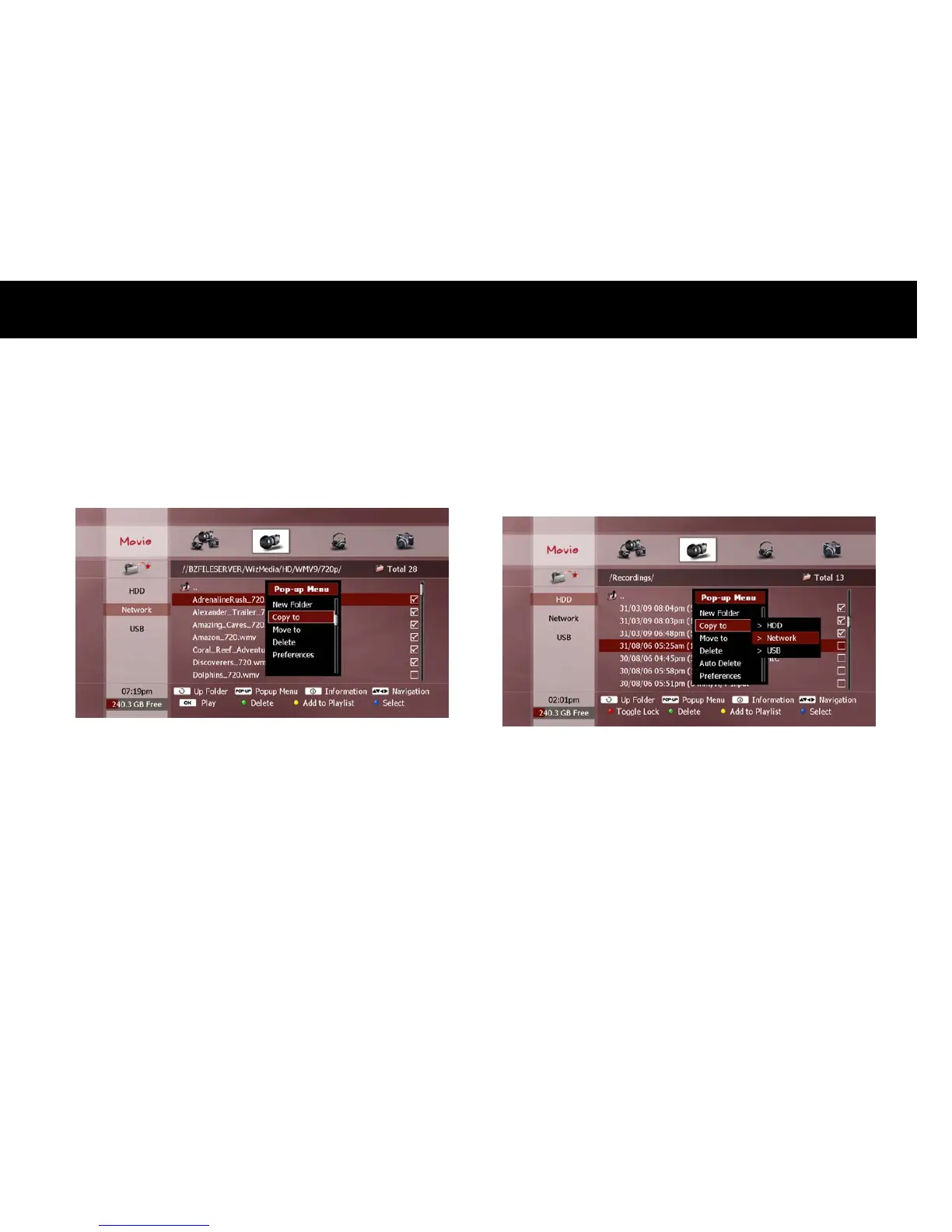
To copy or move files to or from the DP-Lite, select the desired file(s) in
the File list (see “Exploring Contents” section in Chapter 6). Press the
POPUP
button to display the “Pop-up Menu” window. Press the
OK
button to select “Copy to” or “Move to” and press the
OK
button.
The following options will be displayed alongside the window, as follows;
HDD: Select the internal HDD.
Network: Select a networked PC or storage device.
USB: Select a USB storage device.
Use the
UP/DOWN
buttons to select the type of storage device for
your desired destination and press the
OK
button. A pop-up browser
window will appear.



 To Next Page