STB & PVR Function
42
2. Service Edit
2-1.
Service List Edit
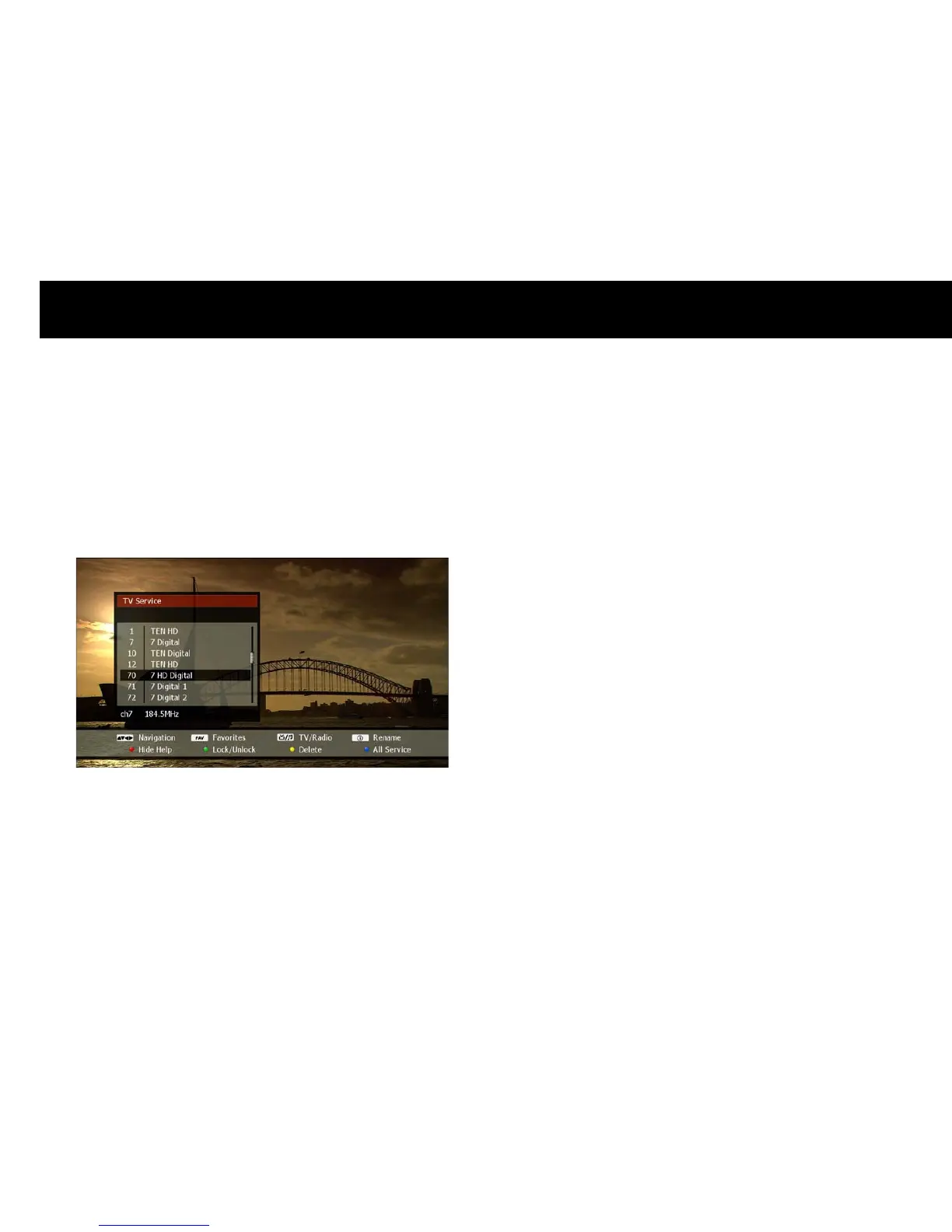
You can edit the service list to lock, delete or rename services. Press
the
LIST
button to show the service list, then use the
UP/DOWN
buttons to select a service.
The editing functions available are as follows;
Lock/Unlock: For your privacy, you can protect a service from
unauthorised access. Press the
GREEN
button and enter a 4-digit
PIN code. A ‘lock’ symbol will now appear alongside the service
name to indicate that this service is locked. Users must enter the 4-
digit PIN code in order to watch a locked service. To unlock a service,
repeat the procedure by pressing the
GREEN
button and entering the
4-digit PIN code.
Delete: You can delete an unwanted service from the service list.
Press the
YELLOW
button to remove it from the list.
Rename: You can change the service name from that given by the
broadcaster. Press the
button to display the “Keyboard Input”
pop-up window and enter your desired name (see “On-screen
Keyboard” section in Chapter 4).
NOTE
A deleted service can only be re-instated to the service list by
performing a service scan (see “Service Scan” section in Chapter 4).



 To Next Page