Quick Setup
32
3-4.
WizPNP
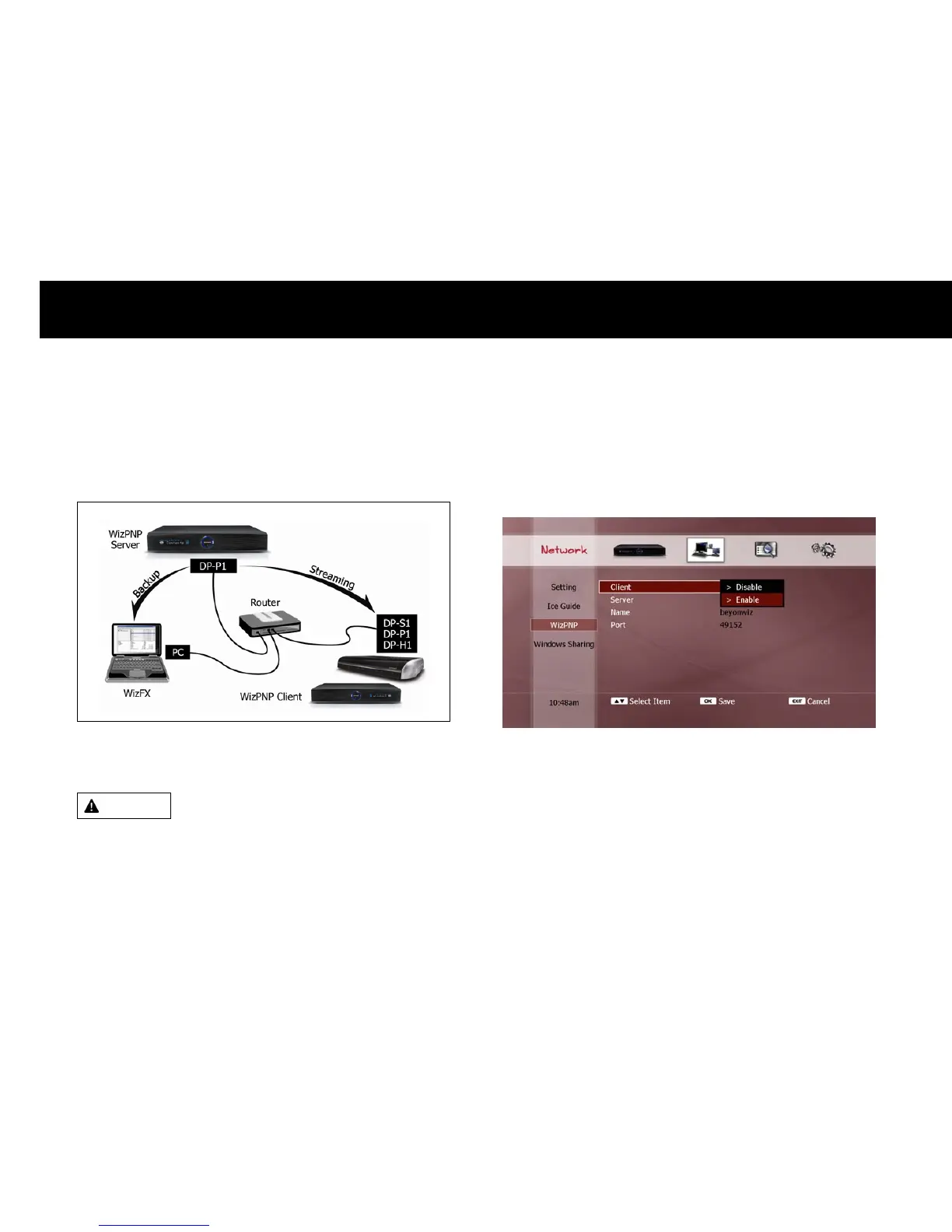
WizPNP enables sharing of recorded files with other beyonwiz products
and PCs. The following picture illustrates how WizPNP functions;
You can set the DP-Lite to be a WizPNP client, a WizPNP server, or both
client and server simultaneously.
WARNING
If multiple WizPNP clients connect to a WizPNP server and stream
contents files from the WizPNP server, the operation of WizPNP may
be slow.
1) Set as WizPNP Client
Setting the DP-Lite as a WizPNP client allows access to another
beyonwiz product which has been enabled as a WizPNP server, so the
DP-Lite can play files in the server.
To set the DP-Lite as a WizPNP client, select “Enable” in the “Client”
menu. For information regarding how to play files in a WizPNP server,
see Chapter 6 “File Playback Function”.
You can disable the WizPNP client function by selecting “Disable” in the
“Client” menu.



 To Next Page