Quick Setup
24
2) Audio Outputs
The DP-Lite supports 2ch audio via the RCA connectors on the rear of
the unit and will decode and output Dolby Digital via a built in decoder.
It also supports digital outputs with optical and coaxial ports.
Audio Format: Select one of the following options to suit your chosen
audio connection in the “Audio Connection” section in Chapter 3;
2ch – for stereo speaker connections.
passthrough – to use an external audio decoder (e.g. amplifier).
S/PDIF Output: Select “Enable” if using the digital audio output
through the coaxial and optical ports.
Dolby D Compression: Select either of the following options;
Line Mode – recommended for most users.
RF Mode – recommended for when audio is connected directly to
the TV using RF cables.
NOTE
If you set the audio format to 2ch, the DP-Lite mixes down 5.1ch
audio source to 2ch audio.
If the content of a channel broadcasted has 2ch audio source, the DP-
Lite cannot expand the 2ch audio source to 5.1ch audio format.
Therefore, you will only hear sound from the front speakers even
though you have connected a 5.1ch speaker system.
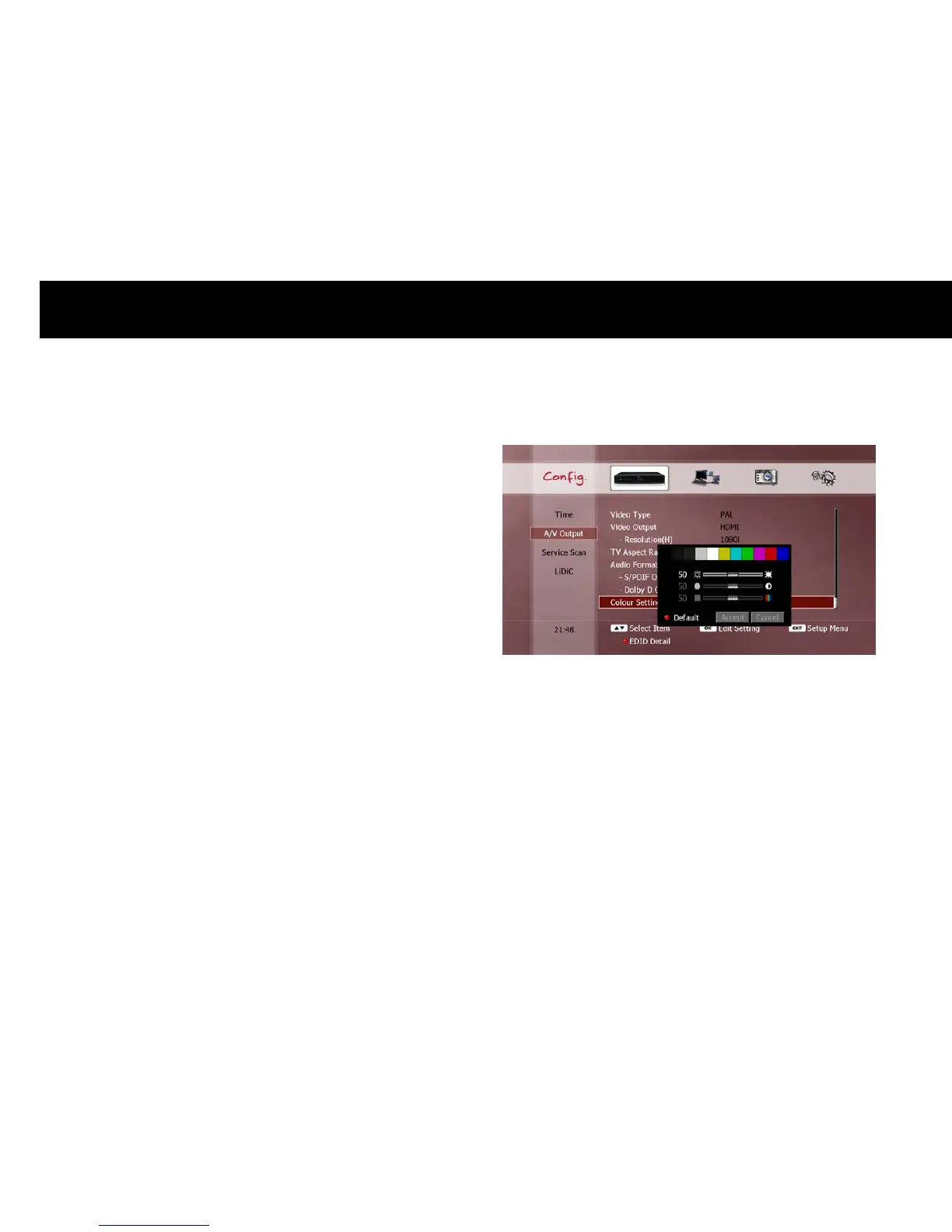
3) Colour Setting
You can adjust the colour output of the DP-Lite.
The three options are brightness, contrast and saturation. Use the
UP/DOWN
buttons to select each option, and adjust the setting with
the
LEFT/RIGHT
buttons. You can restore all colour settings to the
factory default values by pressing the
RED
button. To apply your
chosen settings, use the
UP/DOWN
buttons to select “Accept” and
press
OK
. To cancel the new settings, select “Cancel” and press
OK
, or
press the
EXIT
button.



 To Next Page