100%
0%
100%
0%
100%
0%
100%
0%
4 20 mA 4 8 16 20 mA
4 20 mA 4 8 16 20 mA
December 2019
63
Installation, Operation and Maintenance Manual
VCIOM-08500-EN
Section 9: Set-Up Routines
Set-Up Routines
Figure 61
Conguration procedure
• Move the local selector to OFF and then simultaneously press OPEN and STOP.
Select the language and then enter the password according to the instructions
(see entering the set-up mode). When the message displayed is “SET-UP MODE
OK?” press YES. Press YES to select the "Actuator Setup" menu, press NO to scroll
through the list of available routines, and then press YES to select "FAIL SAFE".
• Press YES if the congured ACTION is correct (open, close, stay-put, go to
position xxx%, off). If not, press NO to change it and then press YES.
• Press YES if the congured value of the DELAY is correct (from 0 to 255 seconds).
If not, press NO to change it and then press YES.
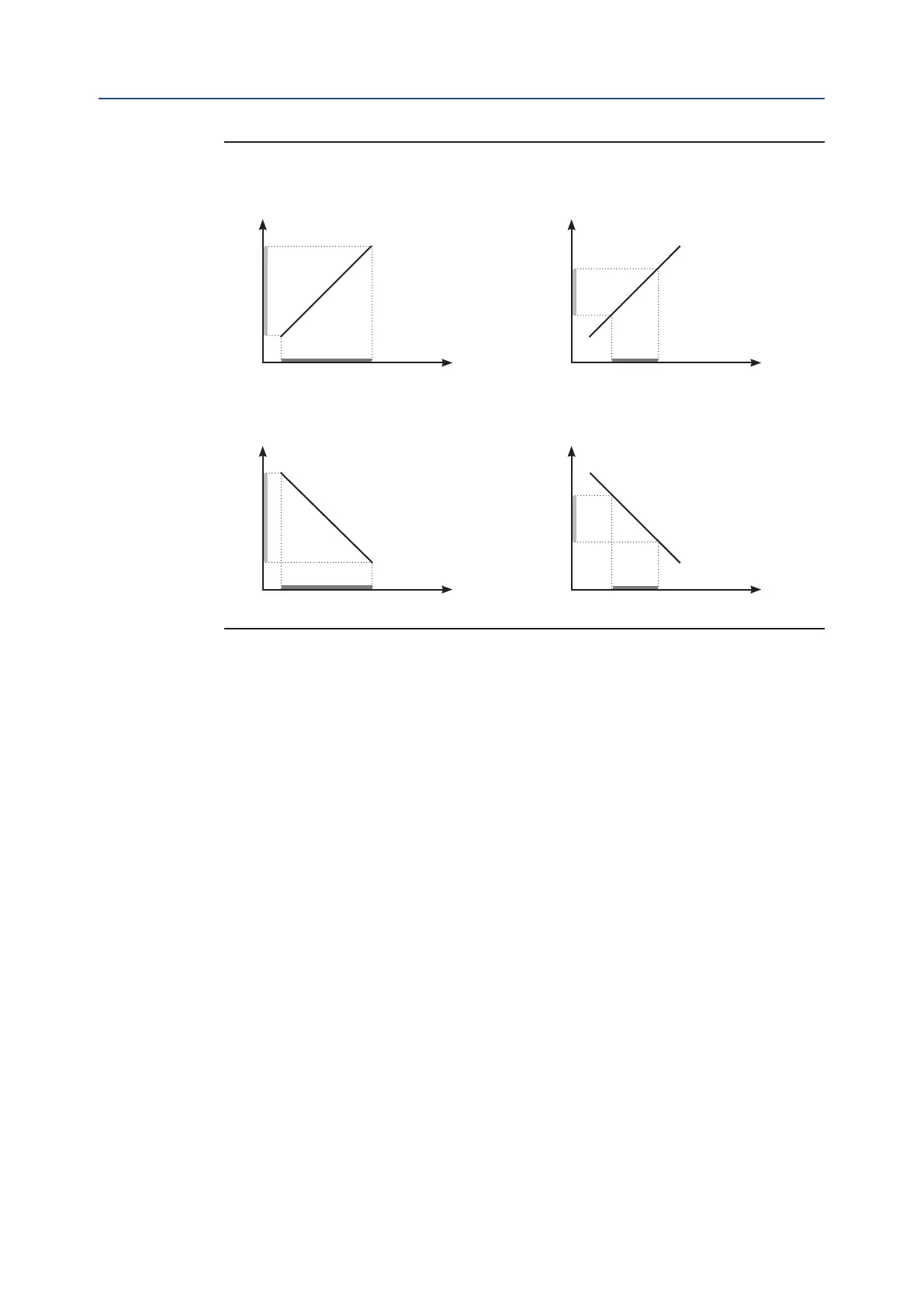
Example A
Position request %
Input signal
Congured values:
% min = 0%
% max = 100%
Polarity : 4 mA = CL
Example B
Position request %
Input signal
Congured values:
% min = 25%
% max = 75%
Polarity : 4 mA = CL
Example C
Position request %
Input signal
Congured values:
% min = 0%
% max = 100%
Polarity : 4 mA = OP
Example D
Position request %
Input signal
Congured values:
% min = 25%
% max = 75%
Polarity : 4 mA = OP



 To Next Page