VD (E2.1) 07/2017 page 34/96
8. Program editor
8.1 Selecting between set-point ramp and set-point step
You can program various kinds of temperature transitions. In the user level (chap. 10) you can select
between the settings “Ramp” (default setting) and “Step”.
Setting “Ramp” permits programming all kinds of temperature transitions.
With setting “Step” the controller will equilibrate only to constant temperatures; programming
ramps is no longer possible.
Switching between settings “Ramp” and “Step” will influence all programs. Please note that
this can cause the time courses of existing programs to change significantly.
8.1.1 Programming with setting “Ramp” (default setting)
Set-points always refer to the start of a program section, i.e., at the beginning of each program section,
the entered set-point is reached. During program section operation, the temperature gradually passes to
the set-point entered for the subsequent program section.
You can program all kinds of temperature transitions by the appropriate design of the program section
timing:
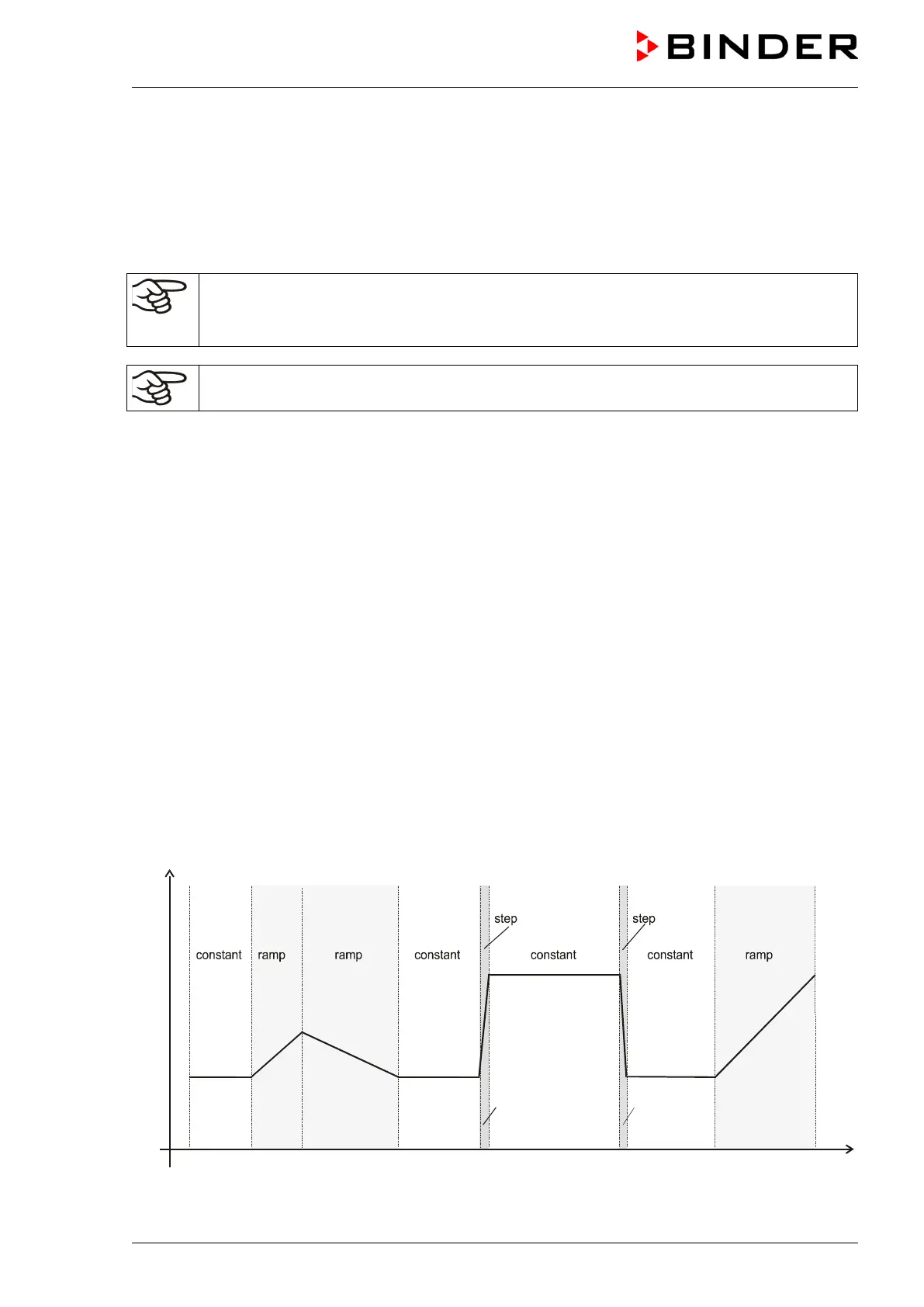
• Gradual temperature changes “set-point ramp“
The set-point gradually moves from one set-point to the one of the following program section during a
given interval. The actual temperature value (X) follows the continually moving set-point (W) at any
moment.
• Program sections with constant temperature
The initial values of two subsequent program sections are identical; therefore the temperature remains
constant during the whole time of the first program section.
• Sudden temperature changes “set-point step”
Steps are temperature changes (ramps) that occur during a very short interval. Two program sections
with an identical set-point are followed by a section with a different set-point. If the duration of this
transitional program section is very short (minimum entry 1 min), the temperature change will proceed
rapidly in the minimum amount of time.
Figure 9: Possible temperature transitions
(with default setting “ramp” in the user level (chap. 10)



 To Next Page