V 1.31
2021. 05 54 / 171 Doc. # : BN-OP-C7
Sensitivity Setup
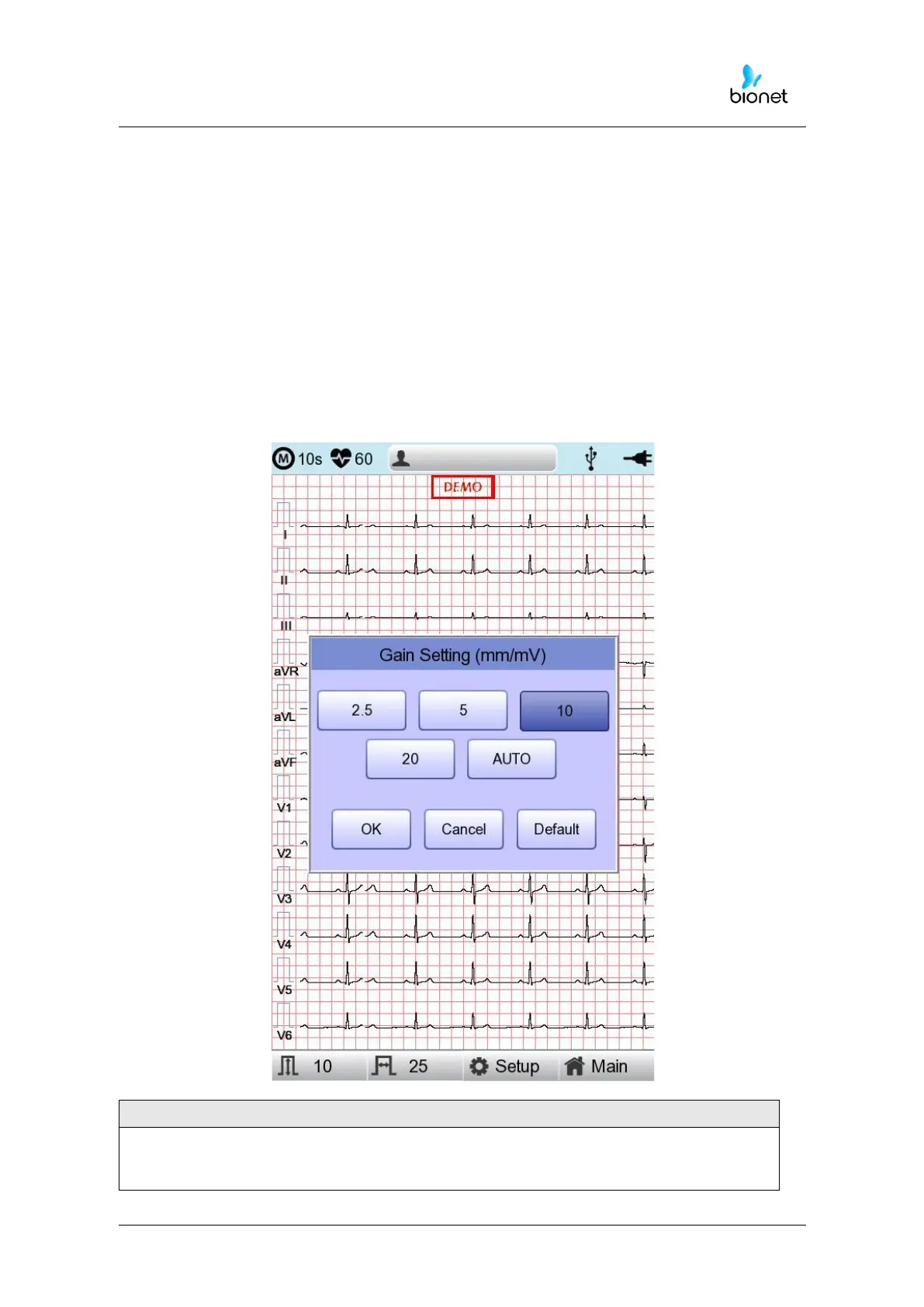
This is a functionality that can modify sensitivity of the output signal, when the outputting
signal’s amplitude is too large and causes overlap with neighboring signals, or too small so
that signal diagnosis is difficult.
Users can set all 12 channels to 2.5mm/mV, 5mm/mV, 10mm/mV or 20mm/mV. Users
can also set it to Auto which will automatically set the sensitivity level for each channel; for
example limb electrodes(I, II, III, aVR, aVL, aVF) to 10 mm/mV and chest electrodes(V1, V2,
V3, V4, V5, V6) to 5mm/mV. Note that 10mm/mV means printing 1mV signal as 10mm in
amplitude on the printing paper.
The left side of the graph display will show the channel name and a bar graph, so users
can notice recently changed values easily. However, for 20mm/mV, the size of signal is set
to be shown for 6 signals only to avoid overlapping signal size displays.



 To Next Page