V 1.31
2021. 05 79 / 171 Doc. # : BN-OP-C7
Date Type
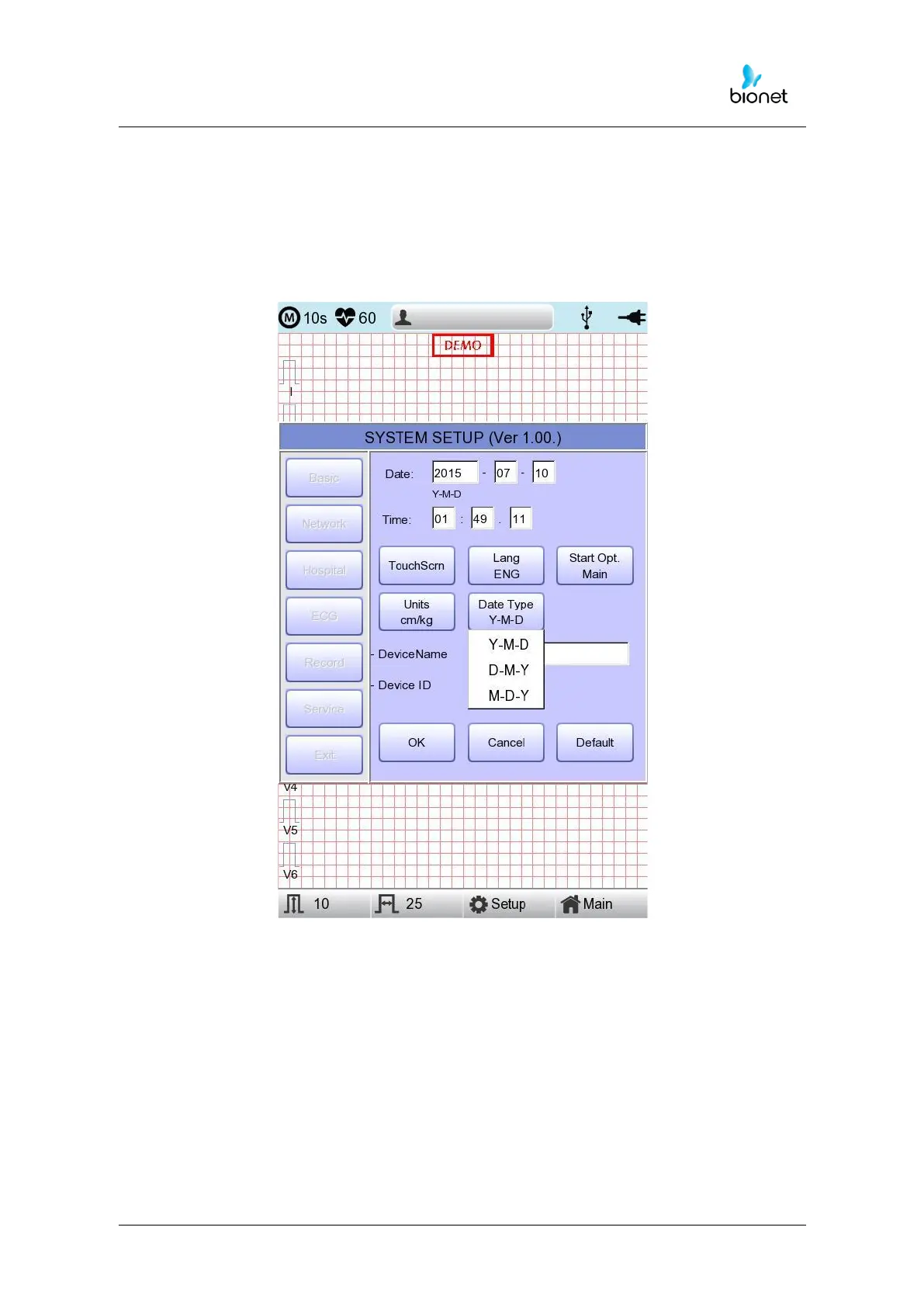
As seen in the figure below, the date format on the top of the paper can be changed
while printing out monitoring and recording results if you choose 'Date Type' from the Basic
Setup menu. Choose the date format to be used, and then click the 'OK' button; the date
format is converted to the one selected and can be seen on the output.
Device Name Setup
‘Device Name’ refers to the name of the device. The user can input the name of the
device in order to distinguish devices on PC easily.
‘Device ID’ cannot be revised by the user as it is a unique ID of the device and is used to
identify devices on a PC. ‘Device ID’ is automatically set for easy identification of devices
on the connected PC; therefore, it cannot be revised by user.



 To Next Page