V 1.31
2021. 05 84 / 171 Doc. # : BN-OP-C7
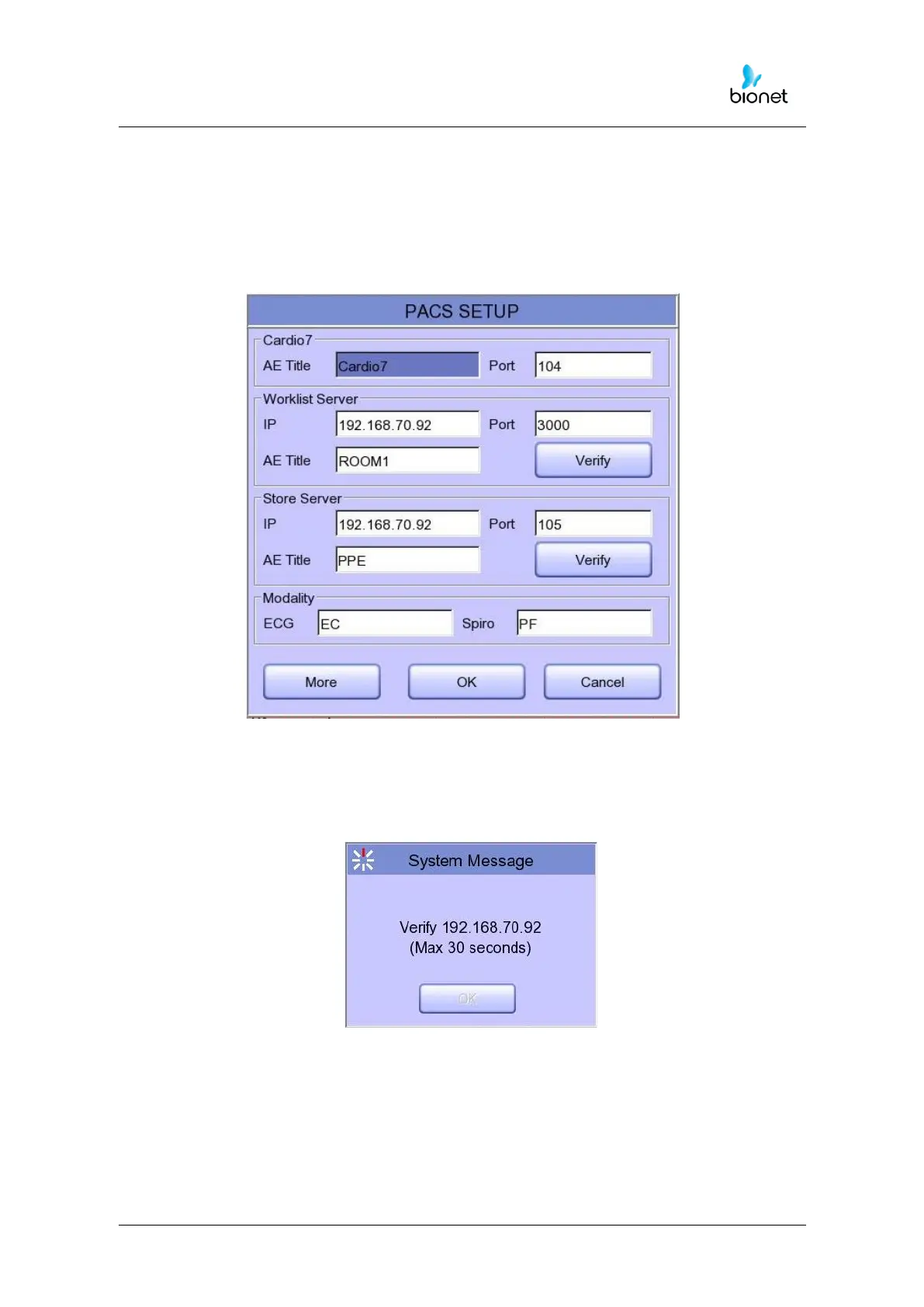
PACS Server Setting
When selecting the PACS Server, the additional information should be set through the
Settings Menu.
The screen for related settings such as the AE Title, IP and Port of Cardio7e/Cardio7, Worklist
Server
and Store Server will appear.
When the input window of each item is selected, the keyboard window will appear:
Enter the applicable contents.
When entry is completed, click the “Verify” button so that the connection between the
Worklist Server and the Store Server can be confirmed.



 To Next Page