V 1.31
2021. 05 98 / 171 Doc. # : BN-OP-C7
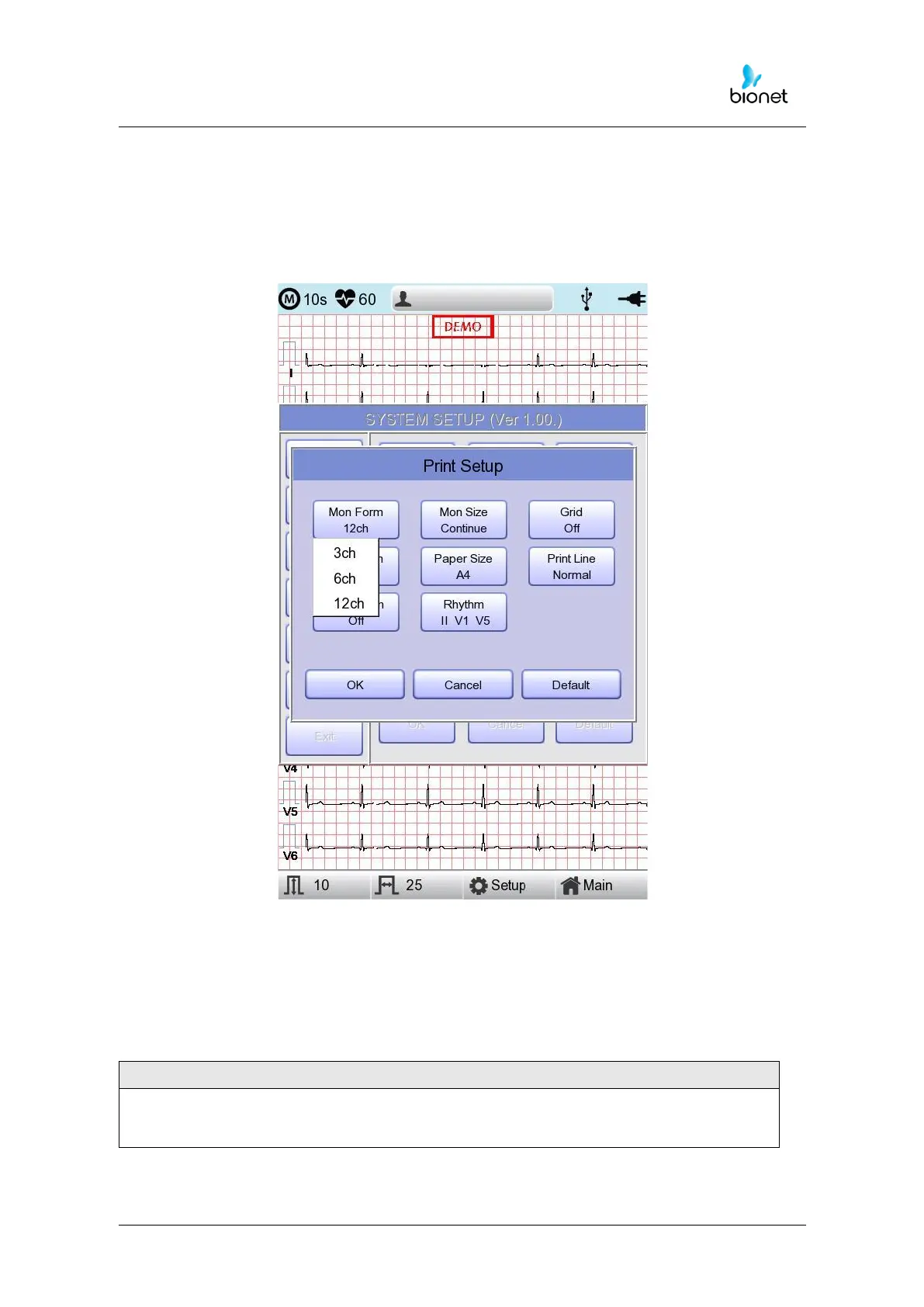
Printing channel setting [Print Setup]
[Monitoring Form]
Set up real time-printout form. Click ‘Mon Form,’ and then a POP-UP window for channel
list will be displayed. Default is set as ‘12CH’.
- 3CH printing: To print 3 channels at the same time (I ~ III / aVR ~ aVF / V1 ~ V3 /
V4 ~ V6) If you want to change the channel, press ‘RHYTHM’ on the control panel.
- 6CH printing: To print 6channels at the same time (I ~ aVF / V1 ~ V6) If you want
to change the channel, press ‘RHYTHM’ on the control panel.
- 12CH printing: To print 12channels at the same time (I ~ V6)



 To Next Page