Chapter 3 Trouble Shooting
3-3
Verify Installation
When the driver has been successfully installed and the computer restarted:
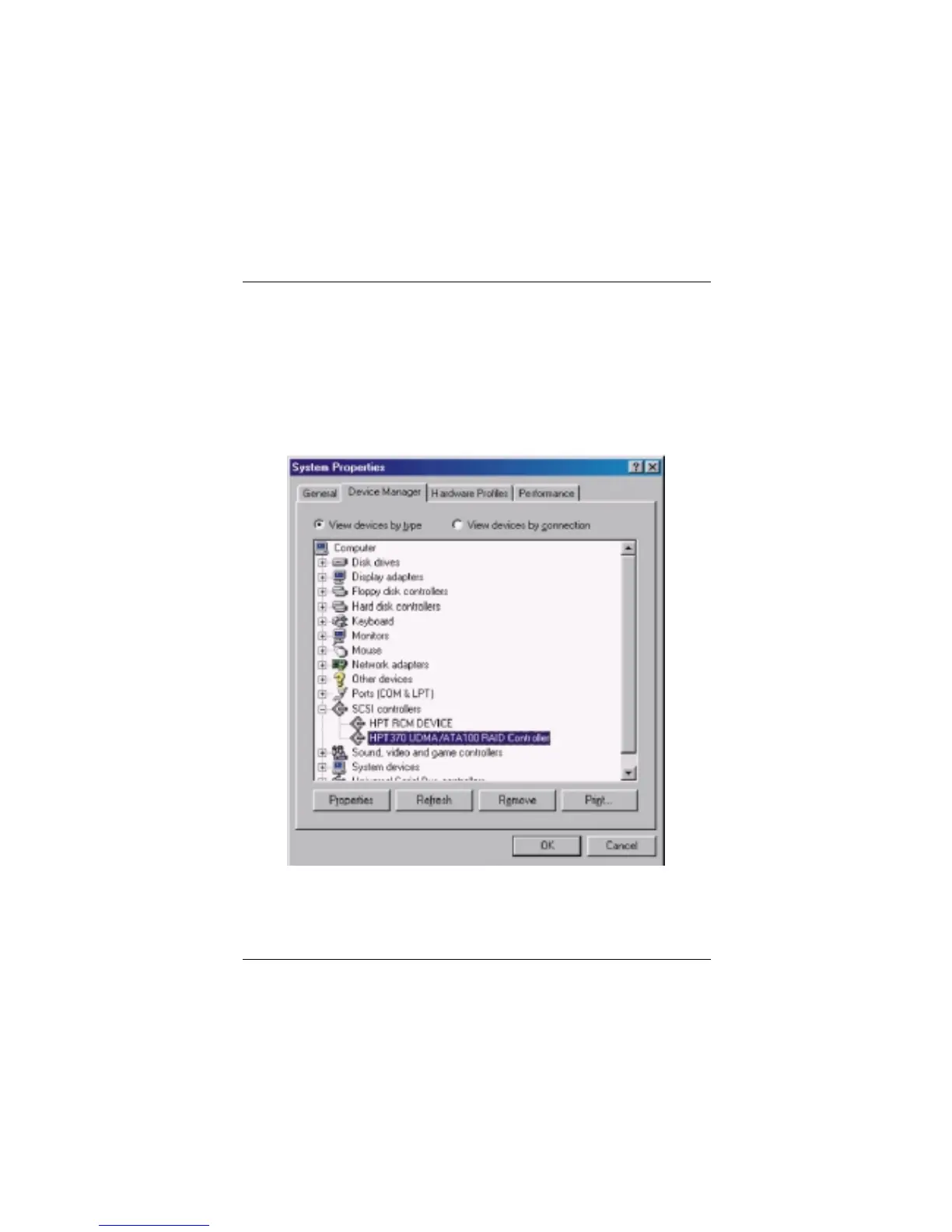
1. Right-click My Computer icon on desktop, and then select Property
item from the popup menu.
2. Select Device Manager item from the popup window.
If there are two device items under SCSI Controllers, it indicates that the
driver has been installed properly.
If you cannot find these two above-mentioned device items, or there are ? or !
on device icon, it indicates that the driver has not been correctly installed and
needs reinstallation.



 To Next Page