98 | 405 TS Getting Started Guide
Fluid Delivery
Problem Possible Cause What To Do
Unable to
dispense
fluid.
Inlet tube not connected.
Make sure all tubing is connected properly.
Check all external tubing for kinks or clogs.
Clogged fluid filter. Clean the fluid filter inside the supply bottle.
Clogged valve Create a protocol with several small primes,
e.g. 10 mL, to try to unclog valve.
Clogged dispense tubes
on the washer manifold.
Remove and clean the washer manifold
No wash or rinse fluid. Fill bottles with appropriate fluid. Ensure
bottles are clean and do not contain
particles or organic material.
Unable to
dispense
fluid.
System not primed.
Large air pockets in
tubing.
Run W-DAY_RINSE.
Insufficient suction,
clogged tubing, or faulty
valve.
Perform Washer Maintenance; If the
problem persists, contact BioTek TAC.
Plate
overfills
(floods).
Dispense height too
high. The aspirate tubes
are too far above the
wells to prevent
overflow.
Lower the dispense height (Z-axis position)
in the protocol.
Dispense flow rate too
low.
Define a higher dispense Flow Rate in the
protocol.
Cell wash flow rate 1 or
2 is used with 384-well
plates.
Specify a non-CW dispense Flow Rate when
using 384-well plates.
Aspiration tubes hit
bottom of trough during
Prime or Maintenance.
Manifold may not be properly seated or
mounted. Contact BioTek TAC.
In-line vacuum filter
plugged.
Replace or remove the in-line vacuum filter.
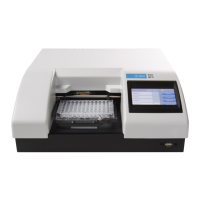
405™ TS Microplate Washer


 To Next Page