Touch Screen Basics| 31
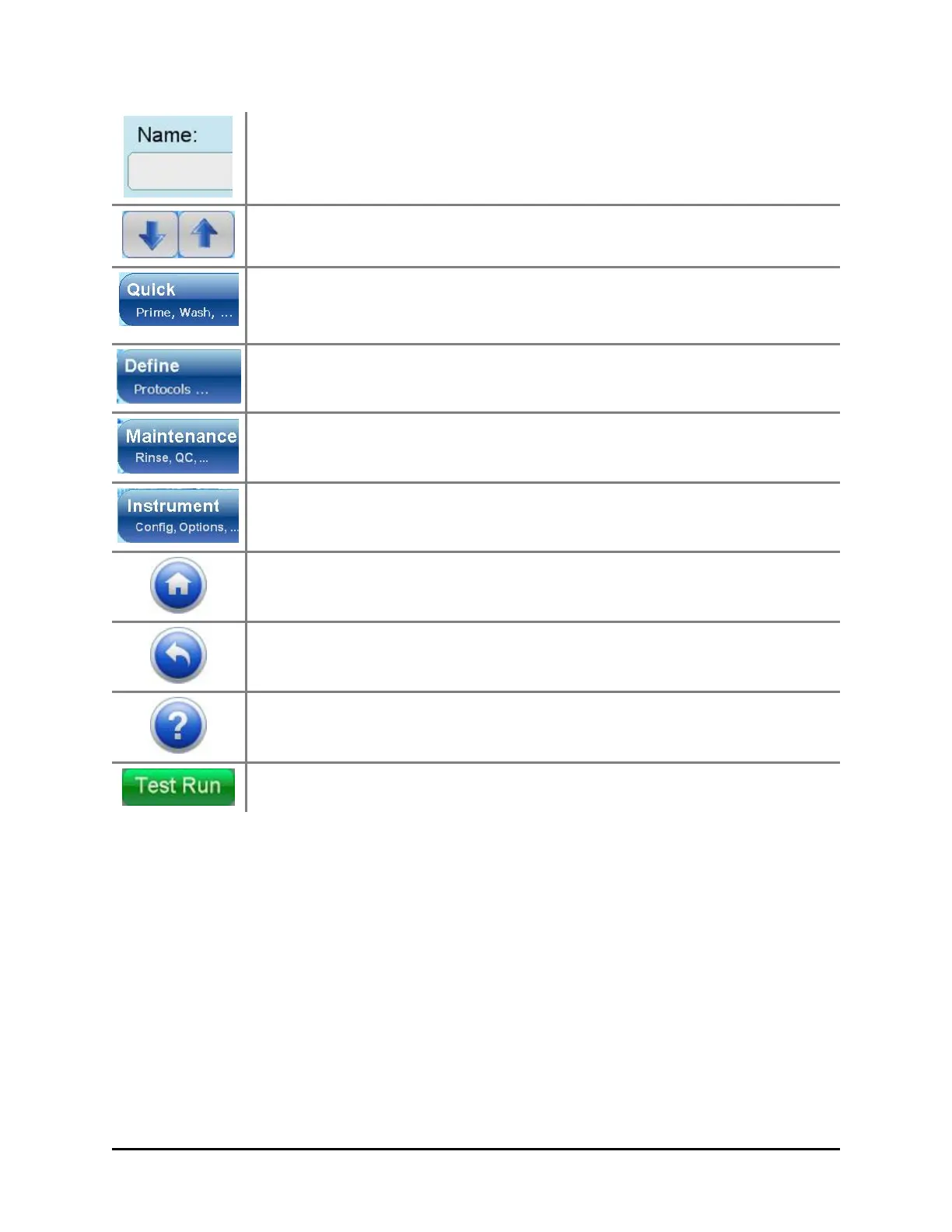
Text: Touch any text field or comments box to open a keyboard.
Use the keyboard to name protocols, input runtime prompts, enter
comments, etc.
Scrolling: Press the down or up arrows to scroll a list with more
items than fit on the screen.
Quick access to prime the washer, wash a plate, and when
equipped: AutoClean to sonicate the manifold and Verify™
Technology to check for clogged aspirate and dispense tubes.
To create and modify protocols.
To run maintenance and quality control protocols.
To change instrument settings, obtain protocols from a memory
stick, etc.
Home: Press the home button to return to the Home screen at any
time.
Previous: Press the previous button to go to the previous screen.
Help: To learn more about a screen, press its Help button.
Green buttons make the 405 TS perform.
Two ways to wash a plate
The 405 TS offers two ways to wash a plate:
l Quick Wash: using the touch screen you can wash a plate by defining a few
parameters like fluid volume and number of wash cycles and rely on default
parameters for the more advanced options. .
l Run a Wash Protocol: using either the touch screen or the LHC you can run a
wash protocol to wash a plate. You can run a predefined protocol or define your
own protocol to specify the optimal parameters for your assay. See Running
Predefined Protocols on page 39.
BioTek Instruments, Inc.



 To Next Page