12
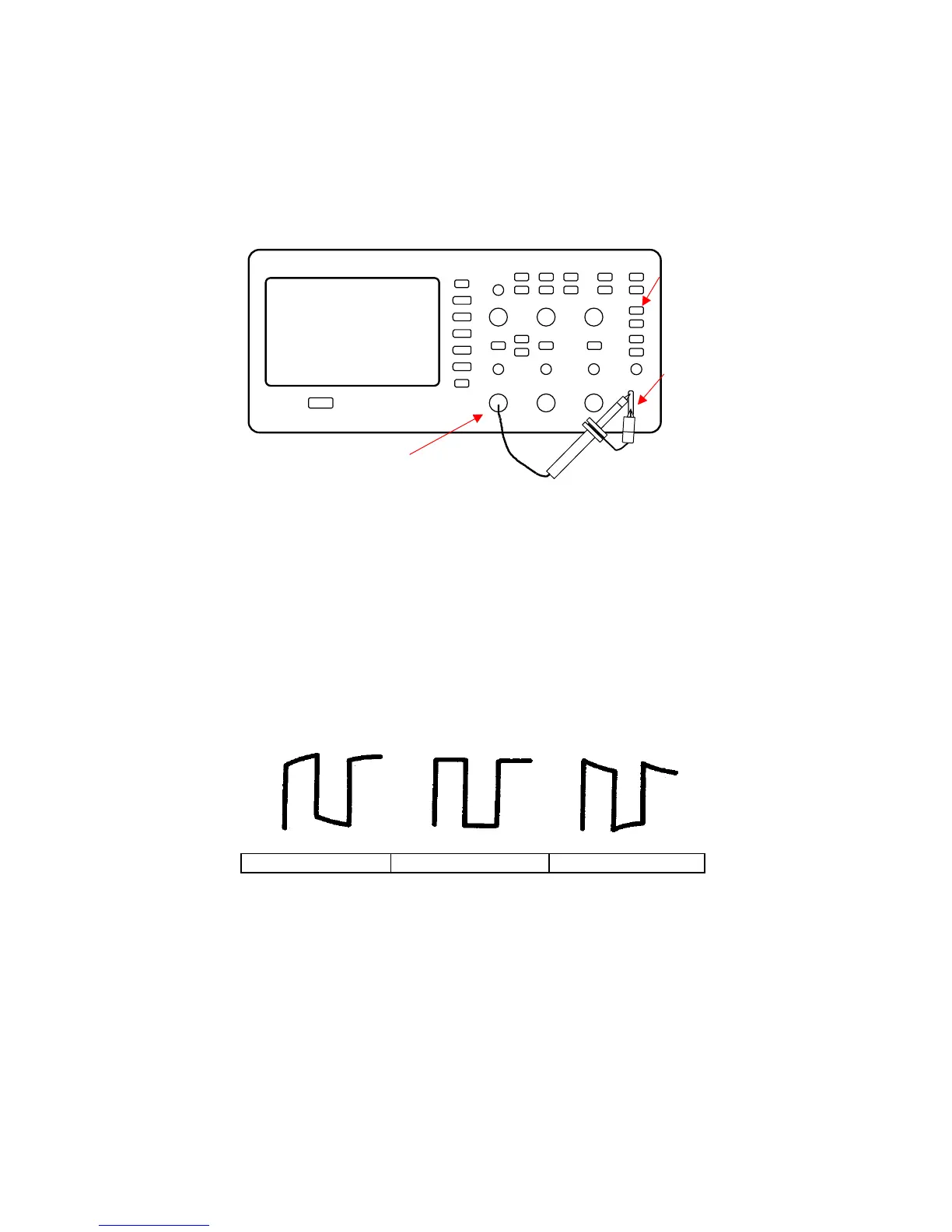
Figure 2.6 – Probe Compensation Setup
1. Set the Probe option attenuation in the channel menu to 10X. Do
so by pressing CH1 button and selecting “Probe” from menu.
Select 10X. Set the switch to 10X on the probe and connect the
probe to channel 1 on the oscilloscope. If you use the probe
hook-tip, ensure a proper connection by firmly inserting the tip
onto the probe.
2. Attach the probe tip to the PROBE COMP 3V connector and the
reference lead to the PROBE COMP Ground connector. Display
the channel and then push the “AUTO” button.
3. Check the shape of the displayed waveform.
Figure 2.7 – Compensation Illustration
4. If necessary, adjust your probe’s compensation trimmer pot.
Repeat as necessary.
www.GlobalTestSupply.com
Find Quality Products Online at: sales@GlobalTestSupply.com













 To Next Page