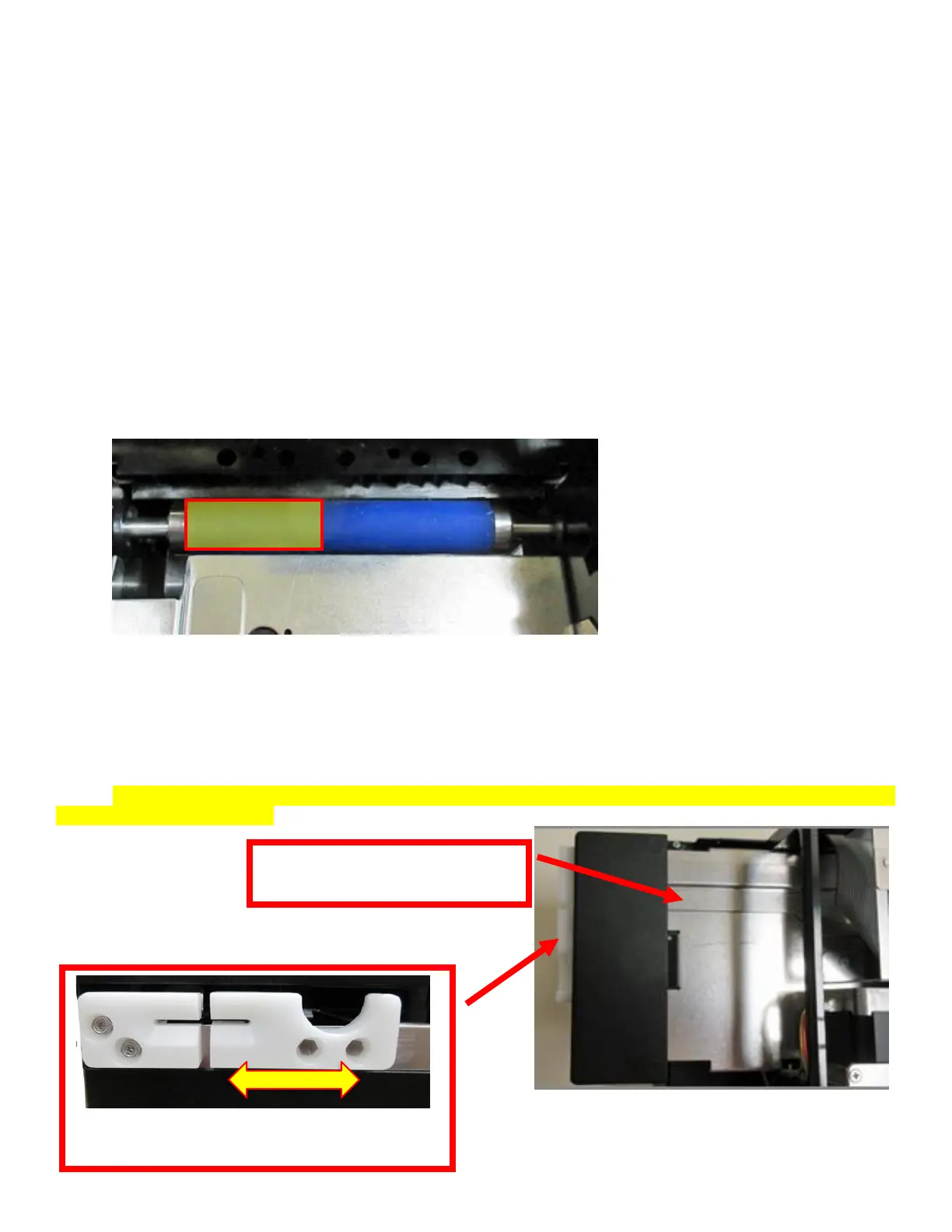
7.1.4 Platen (Rubber Driver Roller)
The Platen (rubber drive roller) should be cleaned once a year to prevent paper dust from building up on the
roller. (NOTE: The platen may require more frequent cleaning in dusty environments or when using inferior
flight strip stock.)
The following needs to be done with the printer powered off and unplugged from the AC source
1. Remove the print head mounting plate from the printer as shown in section 7.1.1.
2. Apply a small amount of Isopropyl alcohol onto a lint free cloth to clean the rubber roller.
3. Clean only the part of the rubber roller where the flight strip makes contact with the platen. See yellow highlighted
area.
4. Rotate the rubber roller clockwise a little and repeat step 4; continue in the same manner for one full revolution of
the rubber roller.
5. Install the head mounting plate and lock the cam lock lever back in place. Printer is now ready for normal
operation.
Platen color may vary from what is shown in the photo
7.1.5 Ticket Width Adjustment
To adjust the paper path for use with a different flight strip width, adjust the slider bar to the fully open position.
Insert your flight strip stock into the paper guide. Adjust the slider bar down to the proper flight strip width,
making sure the bar is not too tight against the flight strip. The flight strip should move freely in the paper
guide. NOTE: The Lemur- FDIO has been factory configured for the Tower strip. Please consult section 6.0 to
change STRIP SELECTION.



 To Next Page