7.1.1 Thermal Print Head (Cleaning & Replacement)
The following needs to be done with the printer powered off and unplugged from the AC source.
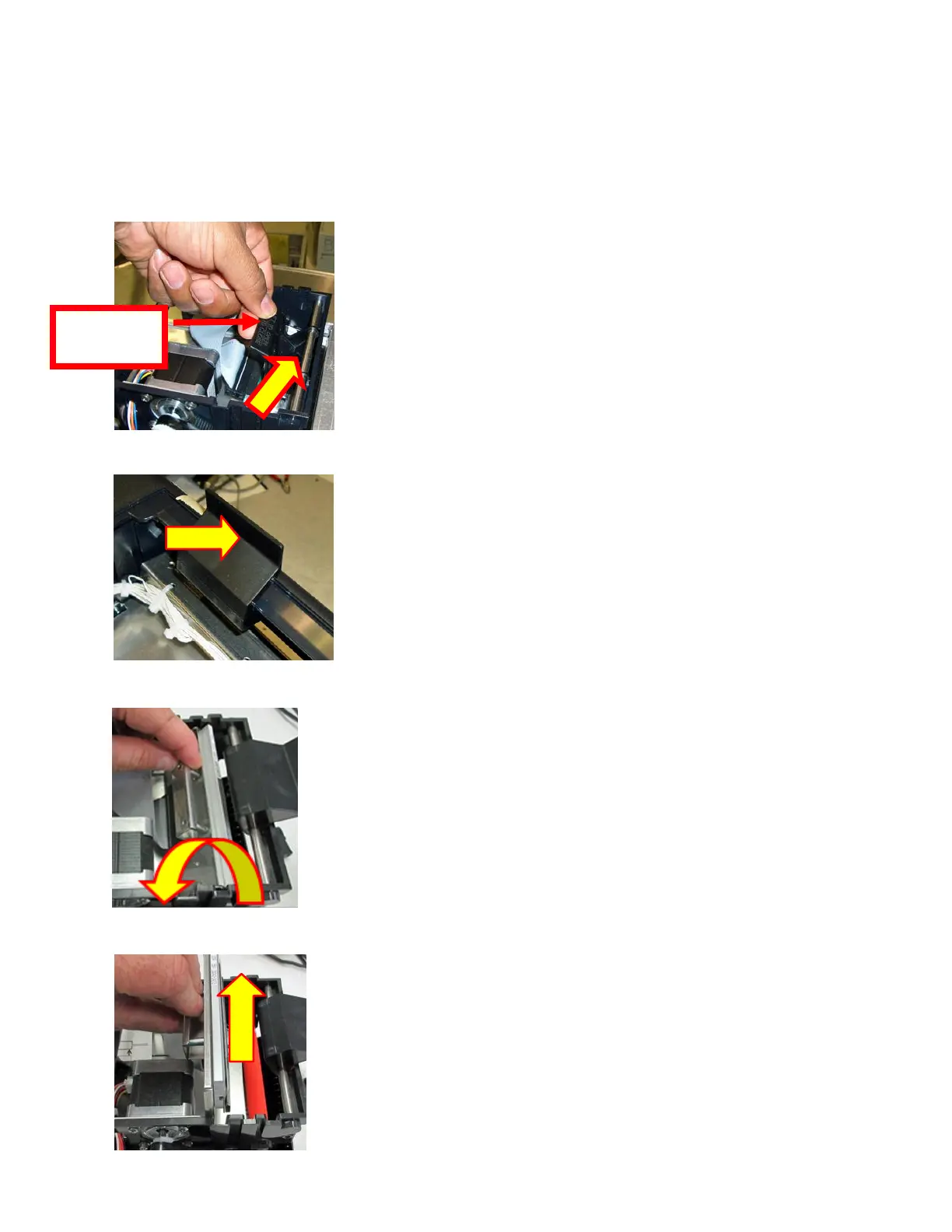
1. Remove the cover of the printer to gain access to the print assembly area.
2. Lift up on the cam lock assembly (located above the head mounting plate) to remove pressure from the
thermal head.
3. Position the cam lock level as far forward as possible.
4. Flip the head back toward the rear of the printer. Denote what slot the print head was taken out of.
5. Lift the print head mounting plate straight out.



 To Next Page