8.7 Cutter Assembly Removal/Replacement
Please make sure the printer is powered off and unplugged from the AC source.
1. Remove the cover from the printer.
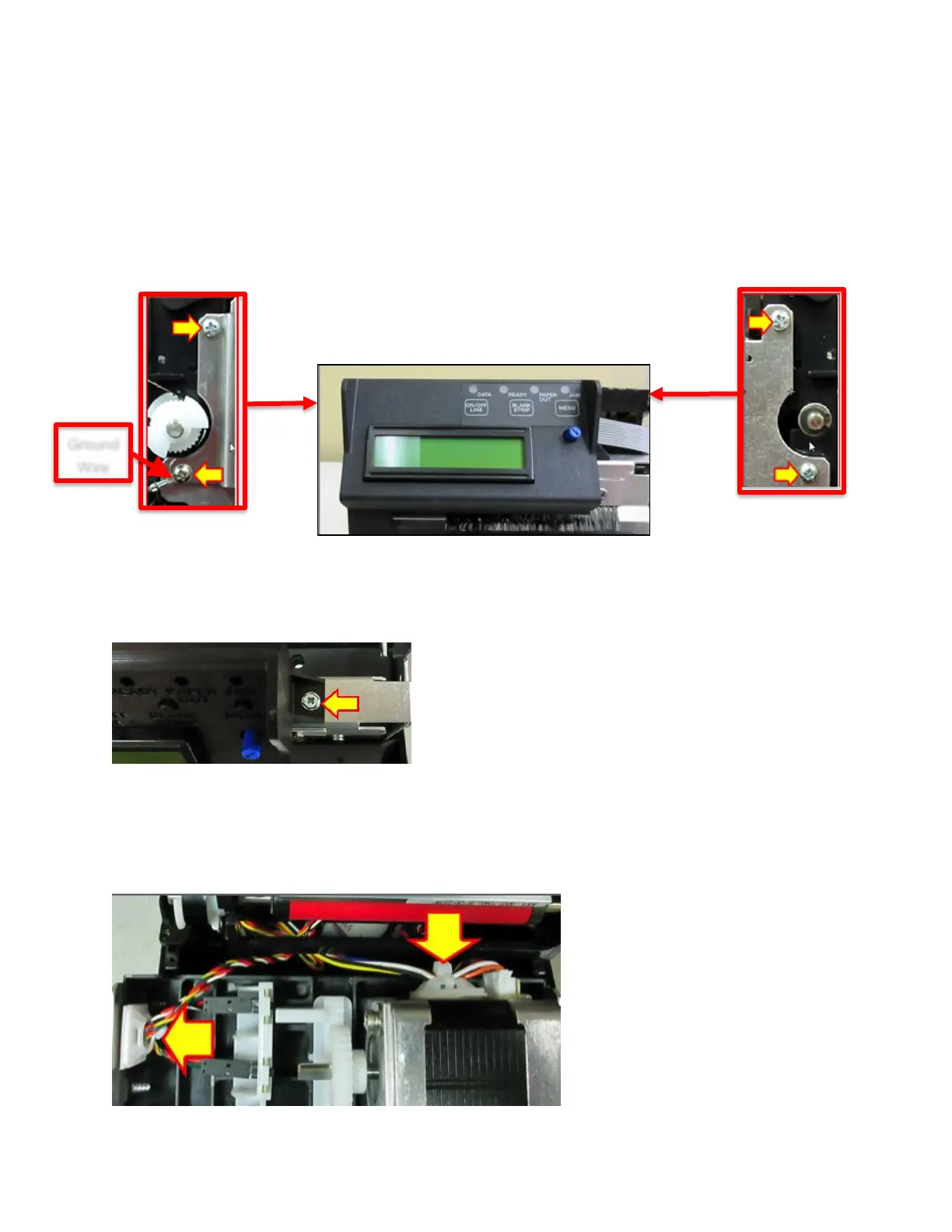
2. Loosen the electronics cover by removing the screws that hold it in place. See section 8.1.
3. Remove the four Phillips head screws that hold the cutter assembly in place.
4. Remove the one 3/16” hex head screw that is holding the control panel onto the cutter. Place
control panel out of the way.
5. The electronics cover may be gently lifted up a little to enable the cutter assembly to separate
from the print cage. This will enable you to get access to wires that connect to the cutter
assembly. Cut the zip ties that hold the wires in place and unplug the wires. The cutter
assembly can now be removed.



 To Next Page