8.1 Logic Board Removal/Replacement
The printed circuit boards used in this product have been manufactured using surface mount
technology. These printed circuit boards cannot be effectively repaired in the field.
WARNING: All Service must be done with the printer off and the AC cord unplugged
from the printer.
Logic Board Removal
1. Remove the cover from the printer.
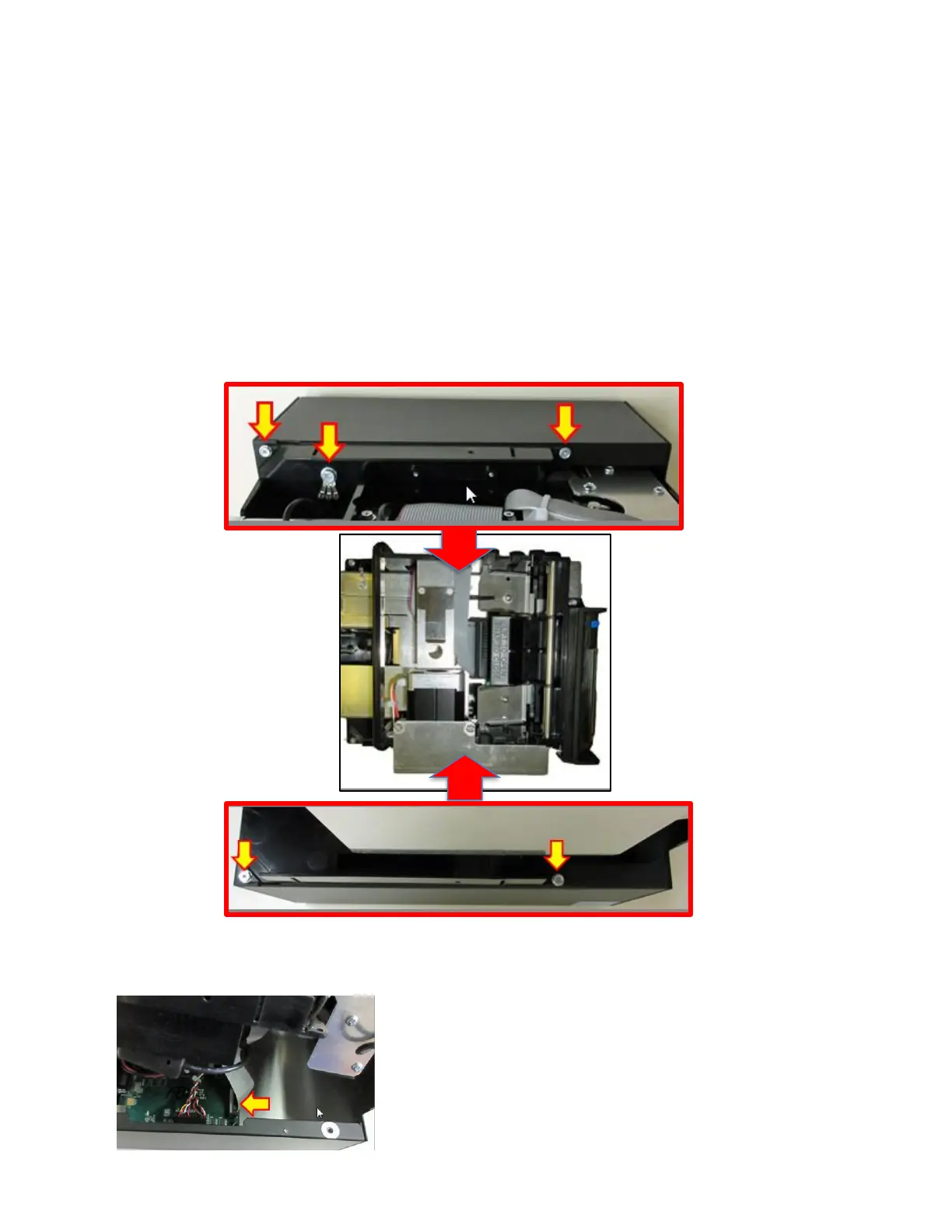
2. Gain access to the logic board by removing four 3/16-inch hex head screws and two 1⁄4-inch
hex head screw that hold the electronics cover in place. Remove electronics cover.
3. Gently lift up the electronics cover a little so you may disconnect the Control panel cable
(yellow arrow). Once the cable is unplugged you may fully lift the cover off.



 To Next Page