Part I: Security System Basics
Your Custom Display
D1260 Owner’s Manual
© 2003 Bosch Security Systems 50410C
Your Custom Display
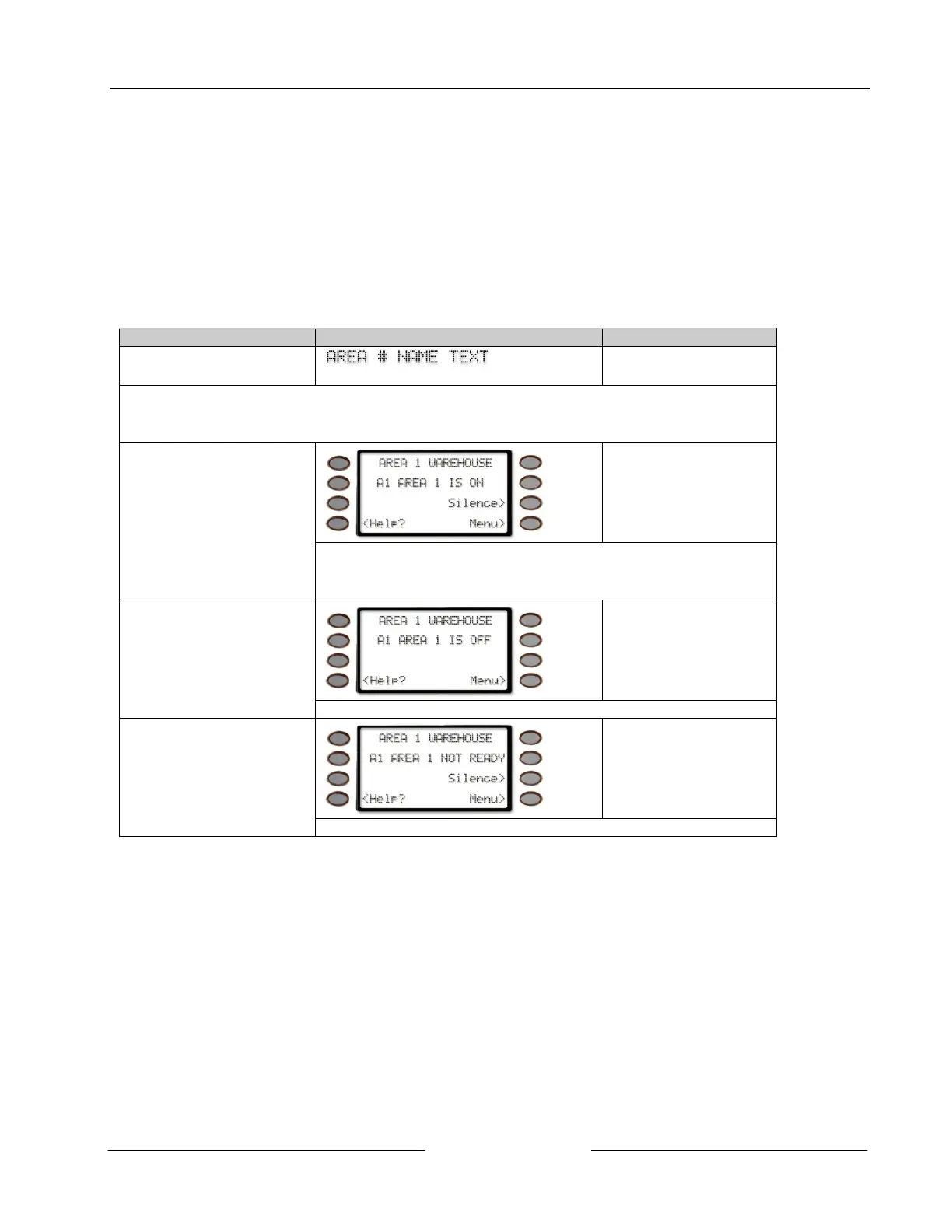
“At an idle state” means that the system is not currently performing a function entered by a user. There are three idle
states the system may be in:
• Turned on (Armed)
• Turned off (Disarmed) with no points faulted (doors or windows open) in the area
• Turned off with faulted points (doors or windows open) in the area.
This manual uses the default idle state displays for examples of these idle states. Your security company may have
programmed custom text for the idle displays in your system. The custom text and the default text for the three system
idle displays follow.
Default Text Custom Text
Area Name Text
Appears on the top line of the display
_ _ _ _ _ _ _ _ _ _ _ _ _ _ _ _
Note: Throughout this manual, all examples of “AREA # NAME TEXT” will use “AREA 1
WAREHOUSE.” The actual name of Area 1 will differ depending on the specifics of your
system.
_ _ _ _ _ _ _ _ _ _ _ _ _ _ _ _
Area Is On Text
Indicates the area is turned on (armed) and ready to detect intruders.
Note: The Silence> soft key is only shown when the keypad buzzer is
active
_ _ _ _ _ _ _ _ _ _ _ _ _ _ _ _
Area Off Text
Indicates the area is turned off (disarmed). 24-hour points remain armed.
_ _ _ _ _ _ _ _ _ _ _ _ _ _ _ _
Area Not Ready Text
Indicates that the area is turned off, but not ready to arm.



 To Next Page