Part III: Advanced Commands
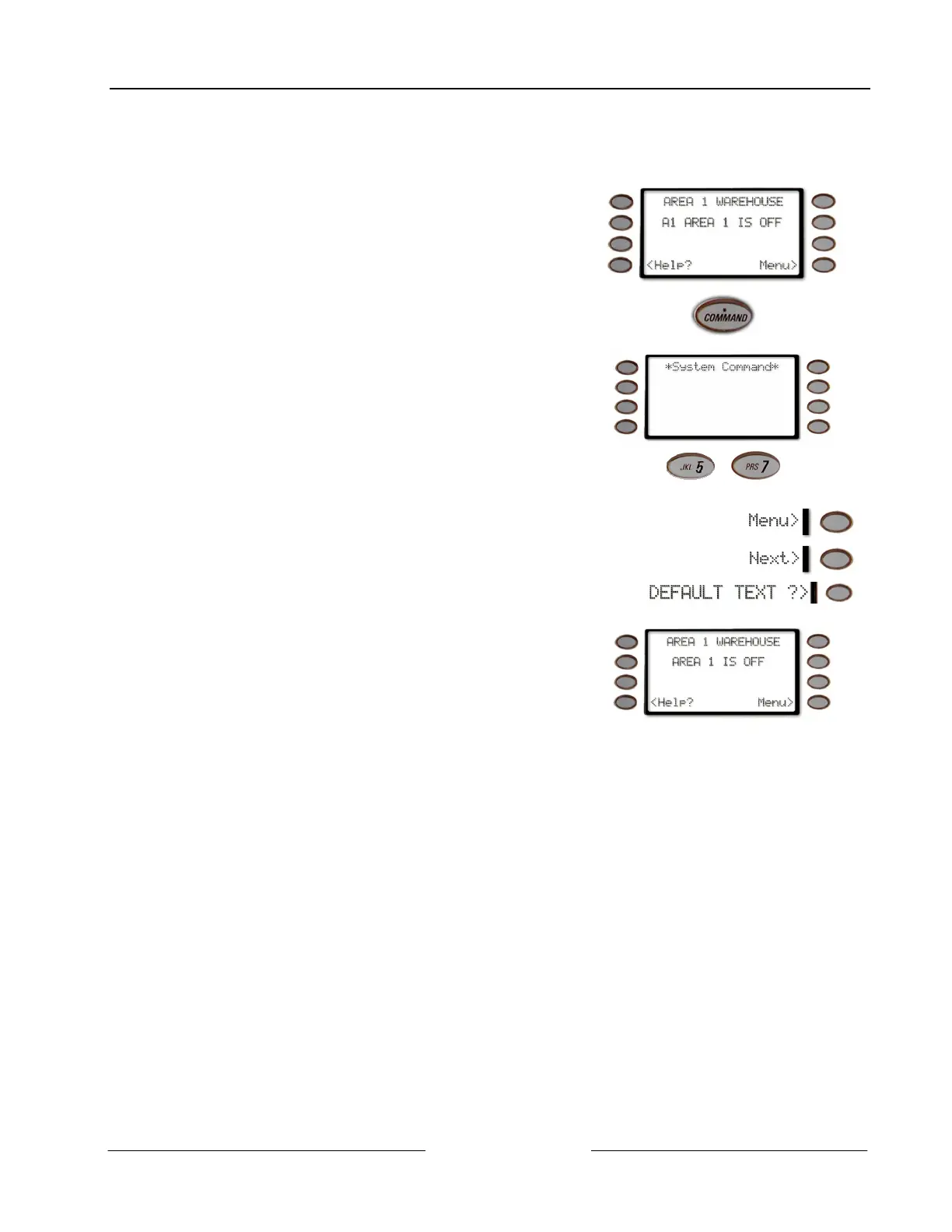
DEFAULT TEXT ? (COMMAND + 5 + 7)
D1260 Owner’s Manual
© 2003 Bosch Security Systems 50410C
DEFAULT TEXT ? (COMMAND + 5 + 7)
This function allows the current state of the area for 3 seconds before returning to idle text.
1. Ensure your command center shows idle disarmed
text.
2.
Press the COMMAND key.
3. The display shows *System Command*.
4.
Press the 5 key and then the 7 key.
+
Note: If you prefer, you may use the Command Menu in place of steps 2 and 3 to initiate this function.
Press the Menu> soft key to enter the Command Menu,
then press Next> soft key repeatedly
until you reach the DEFAULT TEXT ?> prompt then press the
adjacent soft key.
5.
The current state of the area is displayed for 3 seconds
before returning to idle text.



 To Next Page