Page 15
BOSCHE Weighing Systems
Version 4.0
2024-03-27
2 | Description Weighing Terminal EWI / MWI
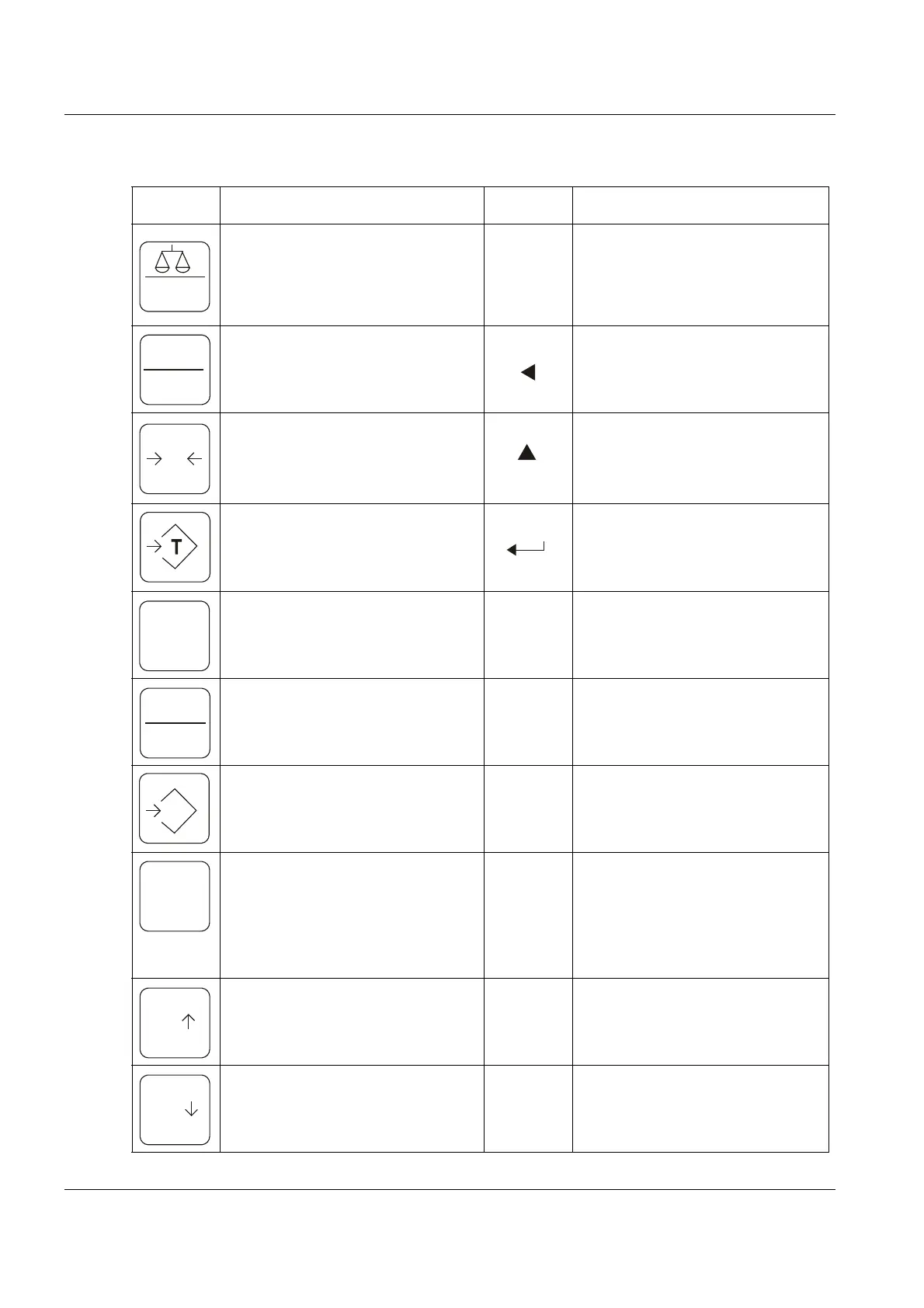
2.3.3 Keyboard overview
Operating level Functional level
Opens the "Quick menu" for
quick settings. Switch button bet-
ween multiple scales, if connec-
ted.
Opens the function menu when
the button is pressed during the
self-test of the scale.
Switch between gross and net
weight.
Moves the activated digit to the
left when setting the parameter
values or move from other fea-
tures.
Zeroing. Sets the zero point for
all subsequent weighing opera-
tions. Zero is displayed.
Increases the activated digit
when setting the parameter
values or other functions.
Tares the scale and stores the
weight as a tare value, which is
subtracted from the total weight
at net display..
ENTER
Accepts input when setting
parameters or other functions.
Print the weighing results, via the
RS232 interface to a printer or
PC.
Leaving the functional level.
Switches the indicator on and
off.
Summing: The button adds the
displayed weight in the sum
memory.
Retrieval of the sum of the sto-
red individual weighings and
the total weight.
Press short: Display of the scale
parameters (division=e, mini-
mum load, capacity).
Press and hold for two seconds:
Display of increased resolution
for approx. 10 seconds.
Setting of the maximum weight
for check weighing (only MWI).
Setting of the minimum weight
for check weighing (only MWI).


 To Next Page