M1 – M3 Display units
Page 25
5. GRAPHICAL INTERFACE
The graphical interface of the M1/M3 has been designed to be easy to use and
intuitive. This section gives you a preview of the different screens and commands
available
5.1. 2 MAIN PARTS
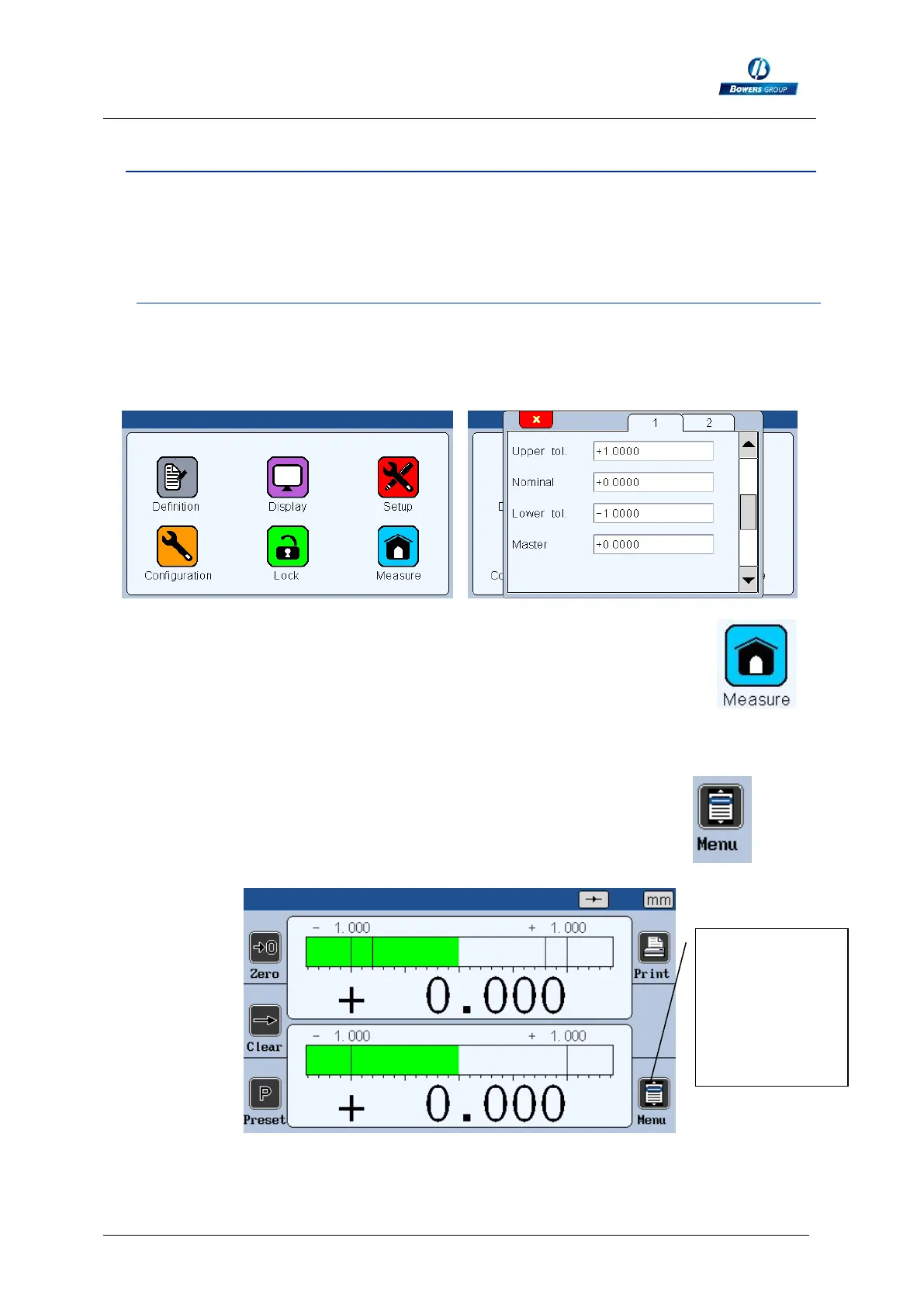
The graphical interface of your M3 is divided in 2 main parts:
1. A part that allows configuring the device and the measurement. It consists
of an icon desktop with windows.
Icon desktop Icon desktop with configuration windows
The second part (measuring screen) can be reached by pressing the
button
2. This part allows to see the measurement result. The M3 starts on this
screen. For reaching the configuration screens, press on the button
Example of measuring screen
Press on this
icon to reach
the main icon
desktop for
configuring
your device



 To Next Page