M1 – M3 Display units
Page 39
6.2. DISPLAY
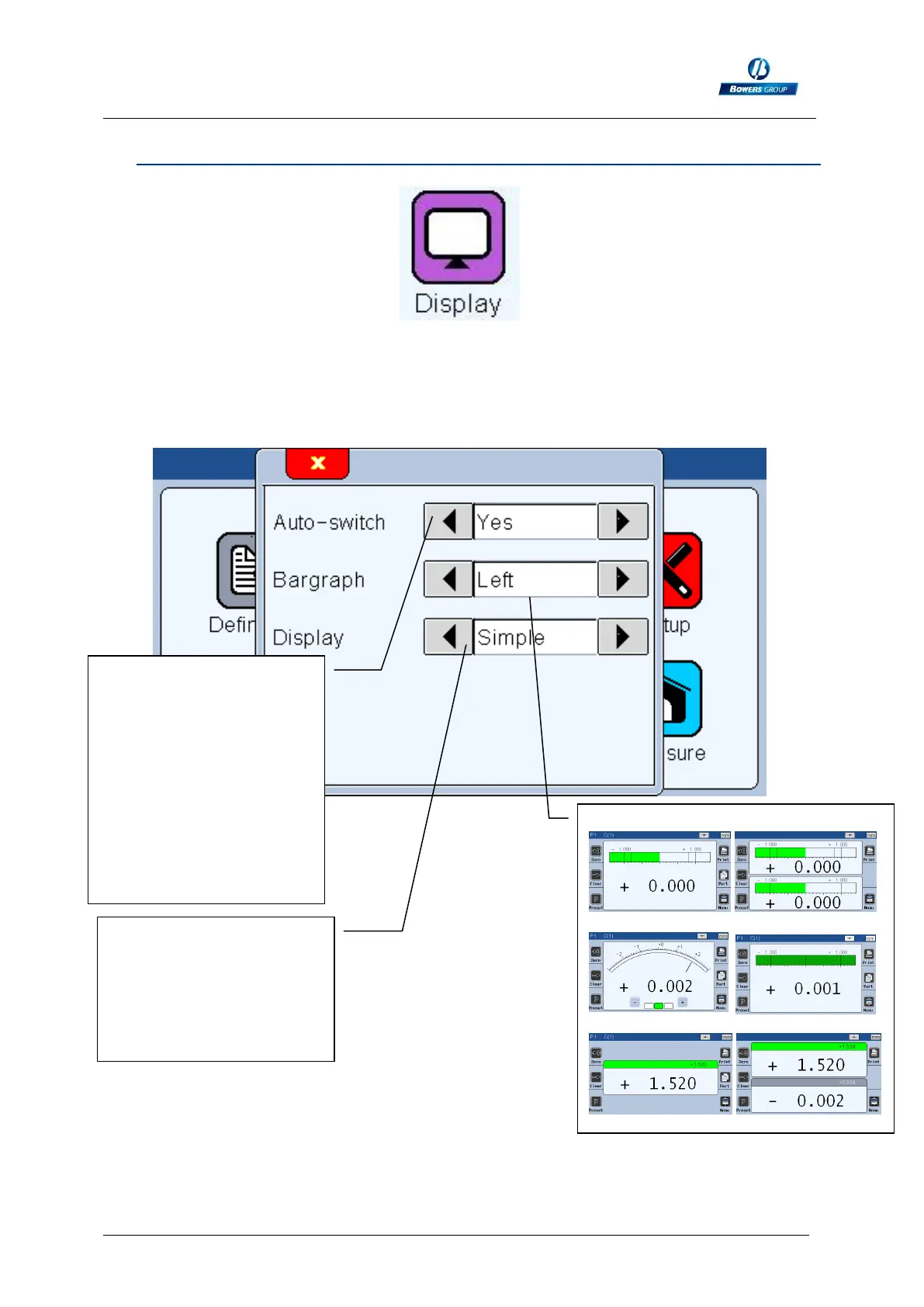
After clicking on this button, the below window appears.
This window allows to define if 1 or 2 measure are displayed on the screen and on
which format. (Needle = galva, horiziontal bar graph or value only)
The auto-switch function
allows to call the
corresponding program
by a simple probe
movement. Example:
- Move probe 1, part 1 is
displayed.
- Move probe 2, part 2 is
displayed.
Left : simple and double
Galva : cursor :
None : simple and double
The +/- keys appears on
the needle indicator
(galva) and allow to move
the needle like with the
screw on an old analogue
display.



 To Next Page