M1 – M3 Display Units
Page 28
5.3. CONFIGURATION WINDOWS
Configuration windows opens after pressing on the icons of the configuration screen
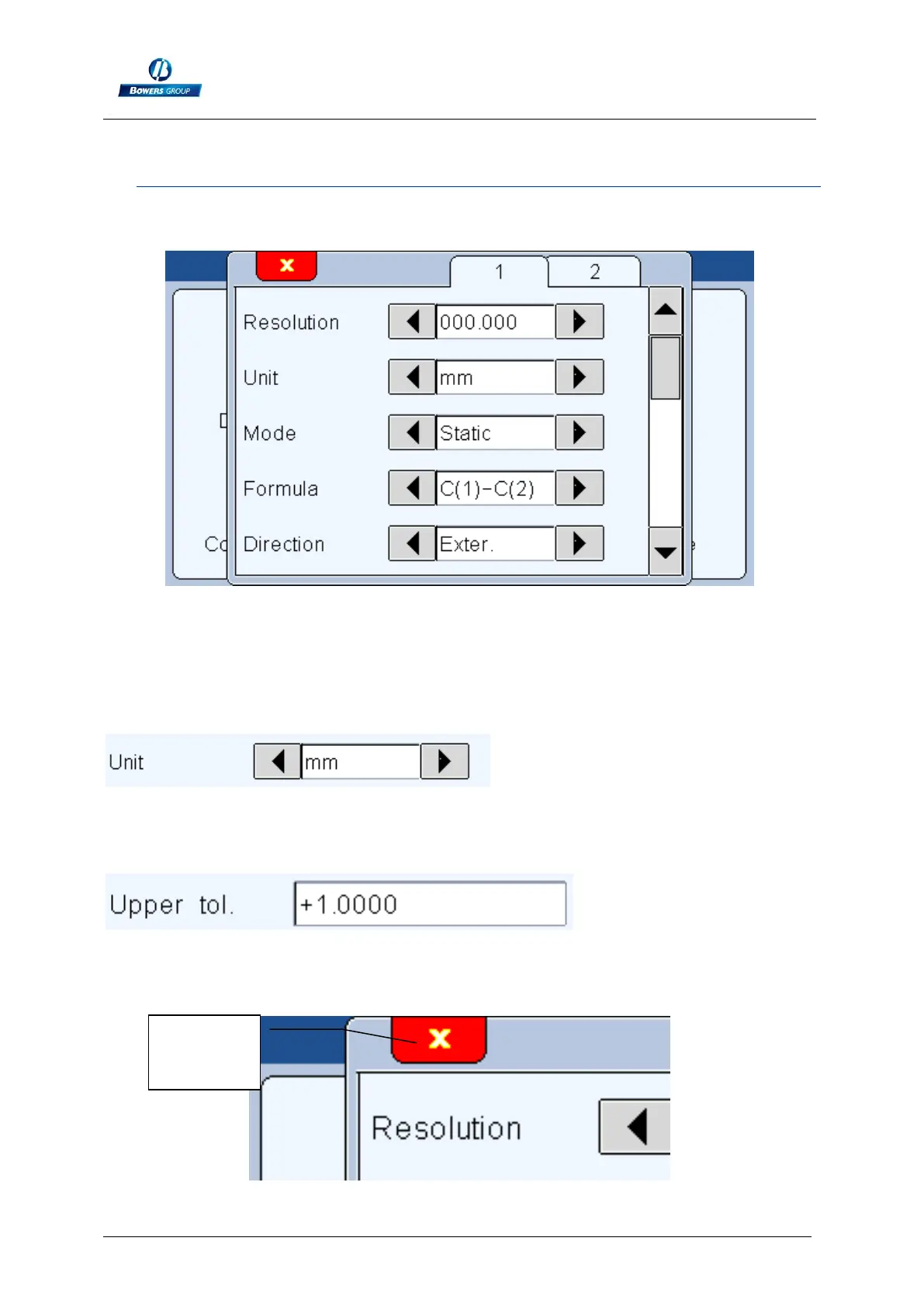
Example of configuration windows
Data are typed by different ways and are saved after validating while quitting the
window.
Here are the different ways to input data:
Multiple selection box. Press on the black arrows to change the pre-defined
value.
Edit box. A virtual keyboard appears after clicking on the edit box.
Closing a window: All the windows can be closed by clicking on the white cross
on a red background on the top left corner on each window.



 To Next Page