EasyManua.ls Logo

Bowers M1 - SETUP

Bowers M1
92 pages
Print Icon
To Next Page IconTo Next Page
To Previous Page IconTo Previous Page
Loading...
M1 M3 Display units
Page 41
6.3. SETUP
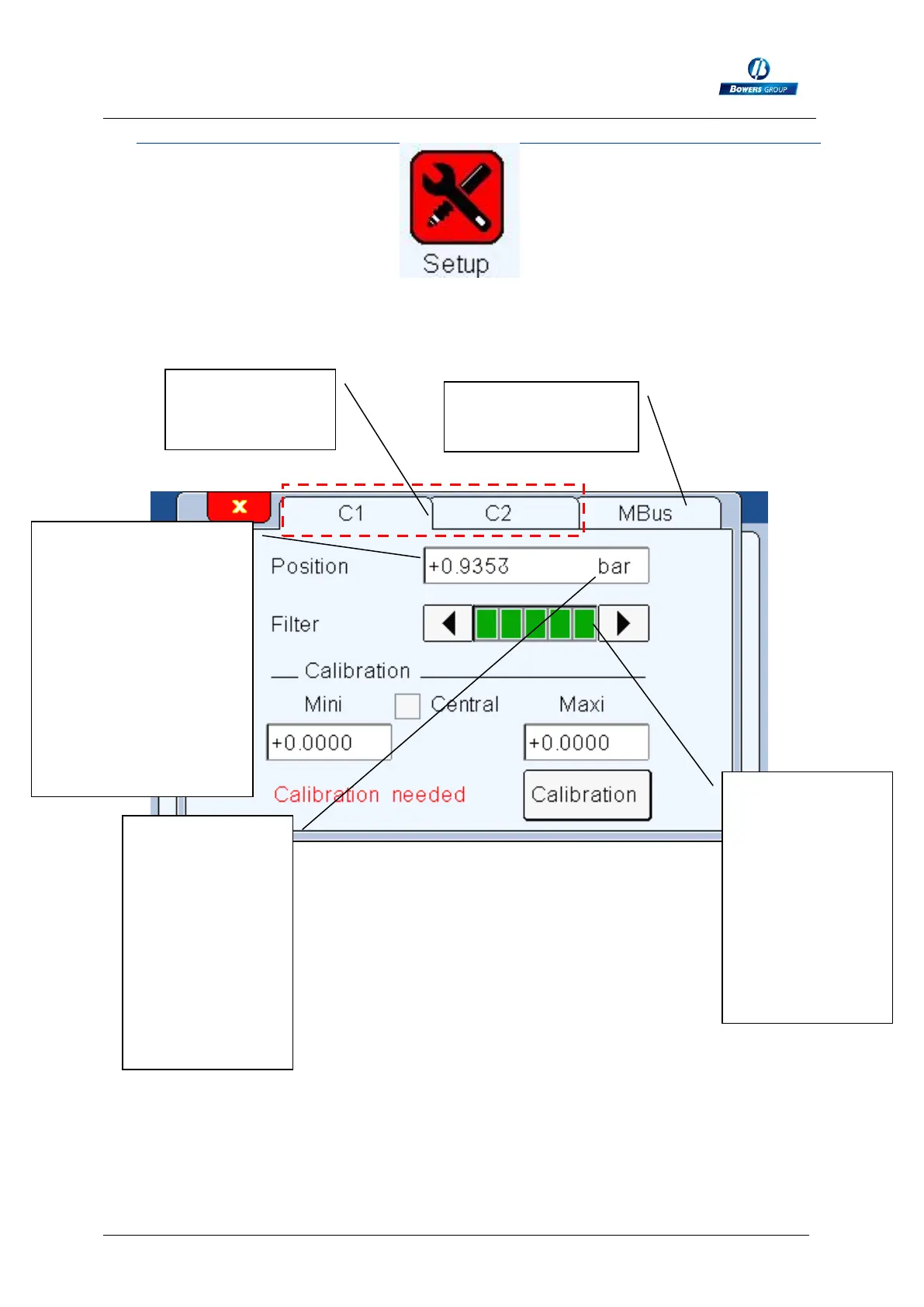
After clicking on this button, the below window appears.
From this window you can calibrate each channel. (the M1/M3 must be calibrated
with minimum 2 masters).
Before mastering, this
field indicates the
pressure in BAR.
After it should indicate
0.0000mm when the
min master is in
measuring position,
and the dimensional
difference between the
2 masters when the
MAX master is inserted.
Channel 1 and
channel 2 (only
for M3)
Possibility to
connect an M-Bus
Allows to slow
down the refresh
frequency of the
display (running
average). It can
be useful to limit
the blinking of the
last digit, and for
runout
measurement on
large parts.
If you touch the
unit, it can switch
to BAR and MM
(only available
after calibrating)
The optimal
pressure is 2.7
BAR with at the
nominal value,
for having the
best linearity.