M1 – M3 Display Units
Page 58
7. MEASURING SCREEN
The M3 starts on this screen.
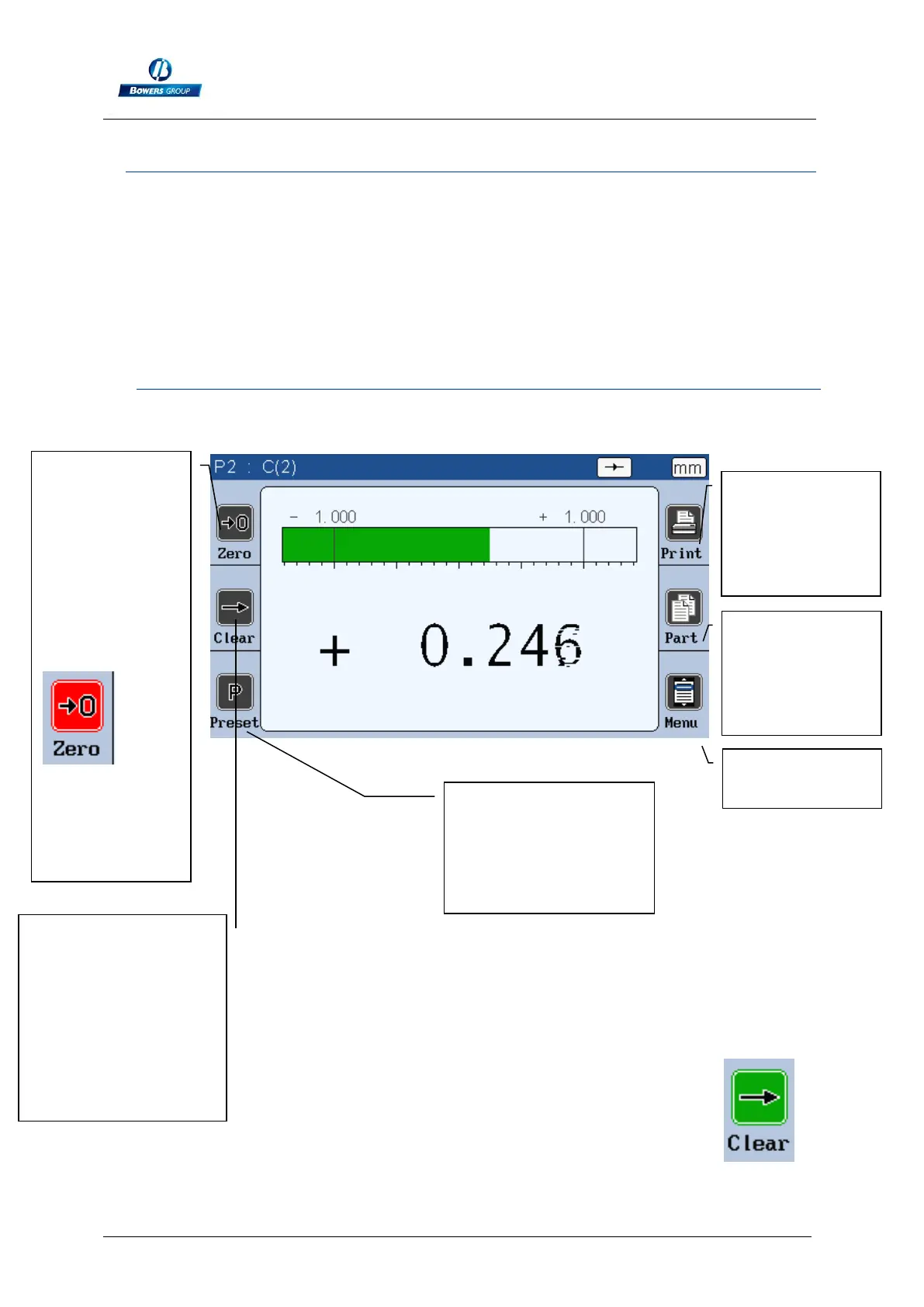
The measuring screen displays the characteristics of the part that has to be
controlled. A needle/bar graph indicator displays the characteristic in function of the
tolerance of the part (see chap. 4.1 for tolerance modification).
7.1. LATERAL BUTTON FUNCTIONS
When they are pushed, the button becomes green for one second:
Absolute or
relative mode
(allows to make
a « zero » at a
defined
position. If the
relative mode is
selected, the
button become
red
To come back
to the absolute
mode, press on
the « clear »
button
Calibration/Preset.
After pressing this
button, the displayed
value will take the
master value.
Measurement
transfer (RS232
or USB)
Swap the active
part (part 1 or
part 2)
Start dynamic
measurement (Min,
Max…) clear the zero
function
This icon can become
yellow in case of a
hold function (refer to
3.3.9, the footswitch
connector)



 To Next Page